Bluesky Comment Management in Social Planner
Bluesky is a conversation-heavy platform, where interacting with your followers can make or break your presence. However, switching platforms can easily lead to distractions. So, let’s learn how to use this new feature to respond to comments from your CRM!
⭐️ How To Respond To Bluesky Comments From The Social Planner?
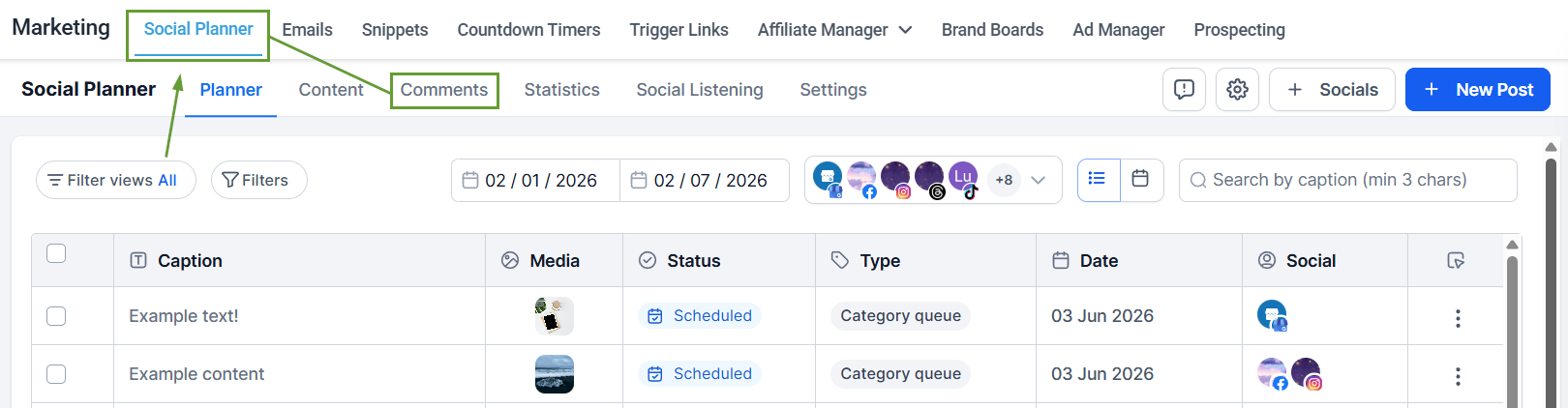
Navigate to the Comments area inside the Social Planner tab of your Marketing section.
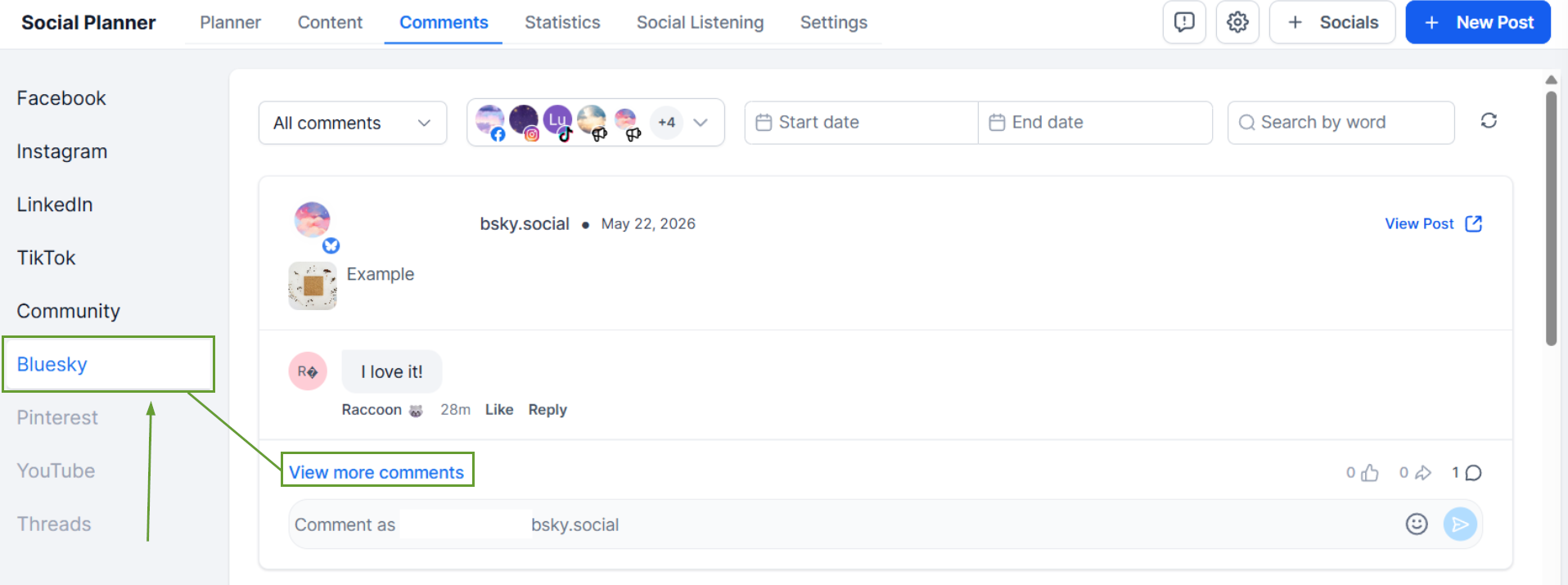
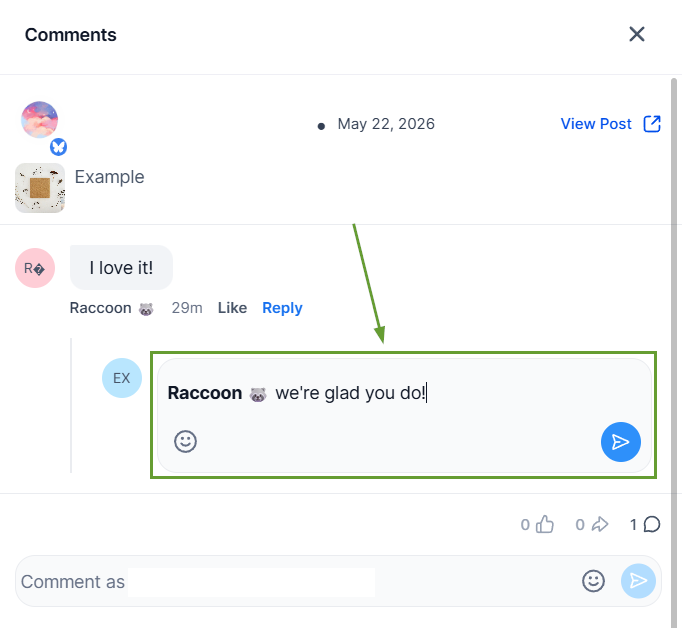
To respond to a comment, click View More Comments to open the detailed view.
Click Reply under the comment you want to respond to.
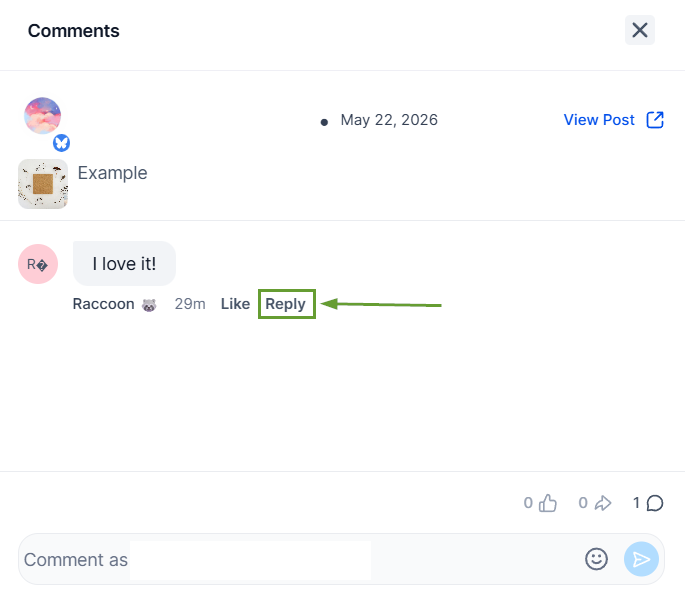
Type in your response in the text bubble under the comment.
⭐️Why Is This Feature Beneficial To Your Company?
Native Interaction Management: Respond faster to conversations, with emoji support, replies visible up to 3 levels, and full threads stored internally to help you keep communication consistent.
Algorithm Favor: The algorithm prioritizes highly interactive posts. Replies to comments keep the conversation going, helping you reach bigger audiences and maintain relevance.
Feedback Gathering: By addressing comments, you can identify areas for improvement and gain insights into your audience's needs and concerns, demonstrating a commitment to customer satisfaction.
Use this feature to reach customers without switching platforms, which helps you avoid distractions, reduce friction with credentials, and increase your effectiveness. We hope you enjoy it!
