Email Verification Action
Sending emails to invalid or low-quality addresses can hurt deliverability. The Email Verification action helps you automate list hygiene, improve performance, and ensure your emails reach real users. Let’s learn how to use this update!
⭐️ How To Use The Email Verification Action?
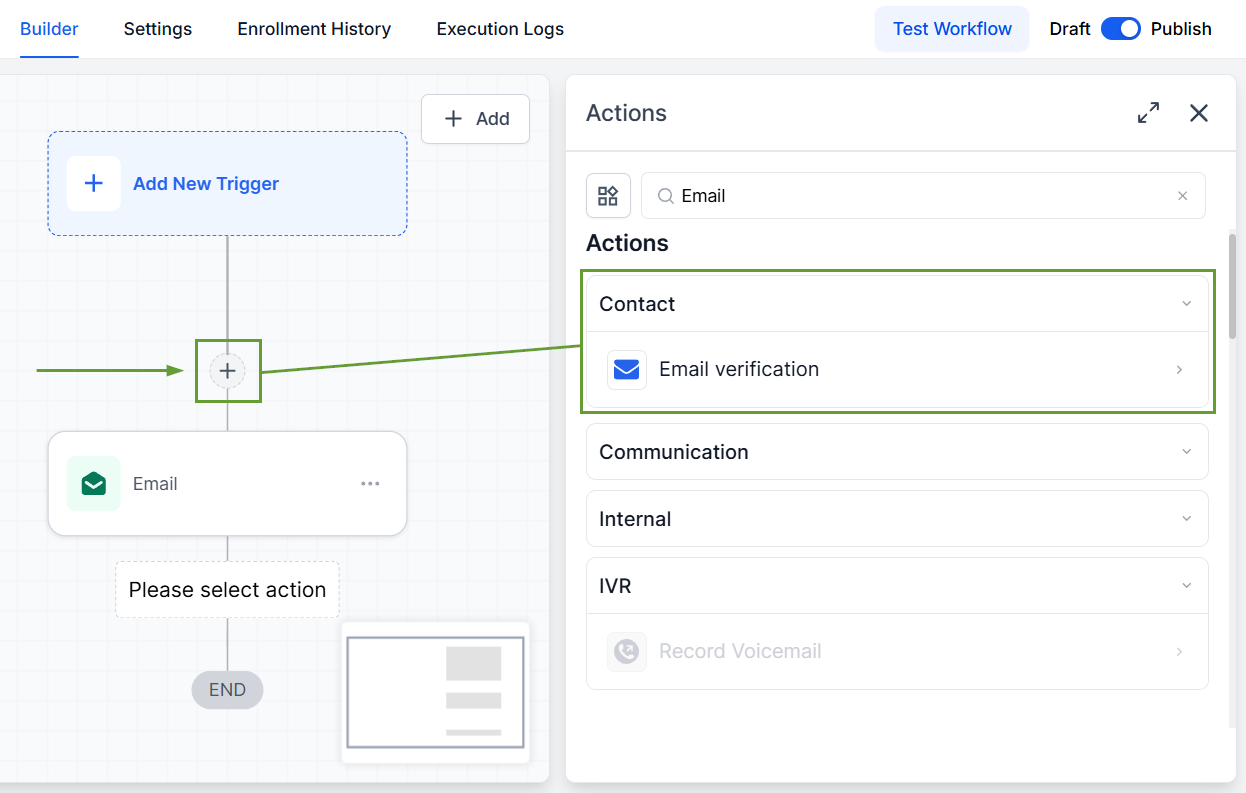
Start by adding the Verify Email action inside your workflow before any email step.
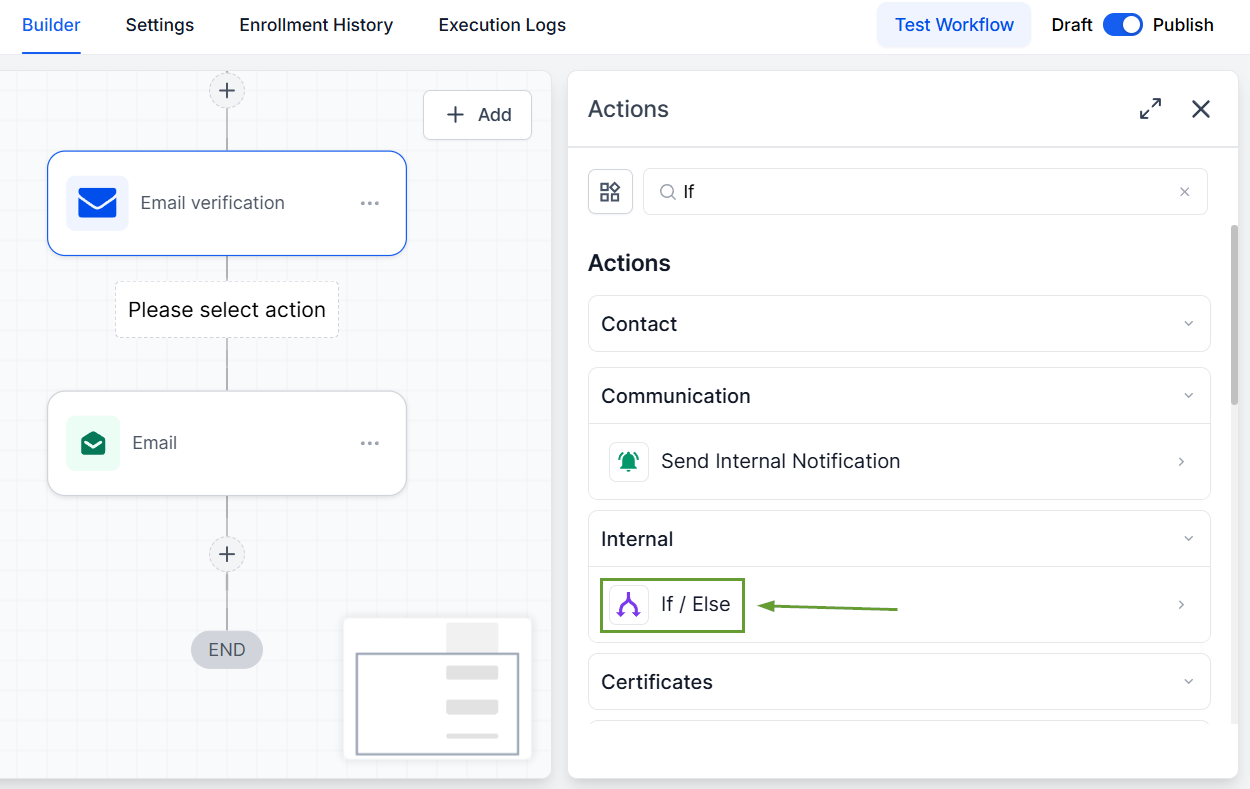
Use the “If / Else” action to decide whether to continue or stop the workflow.
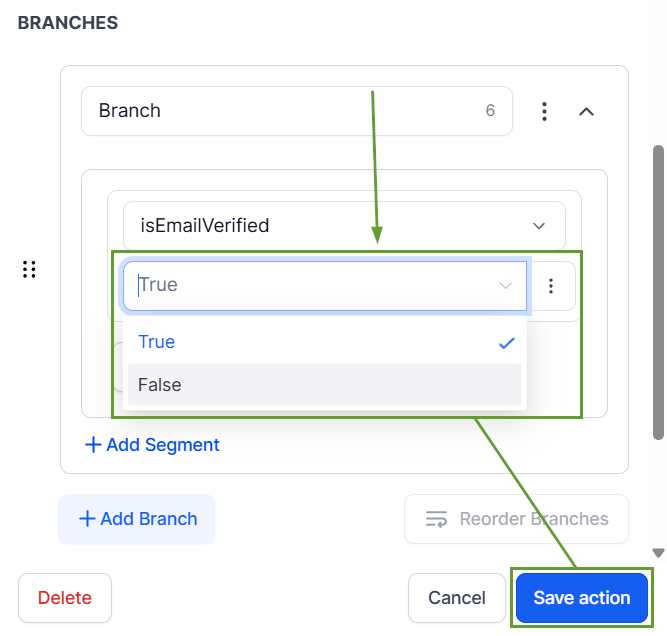
Select the Email Verification option to set this filter.
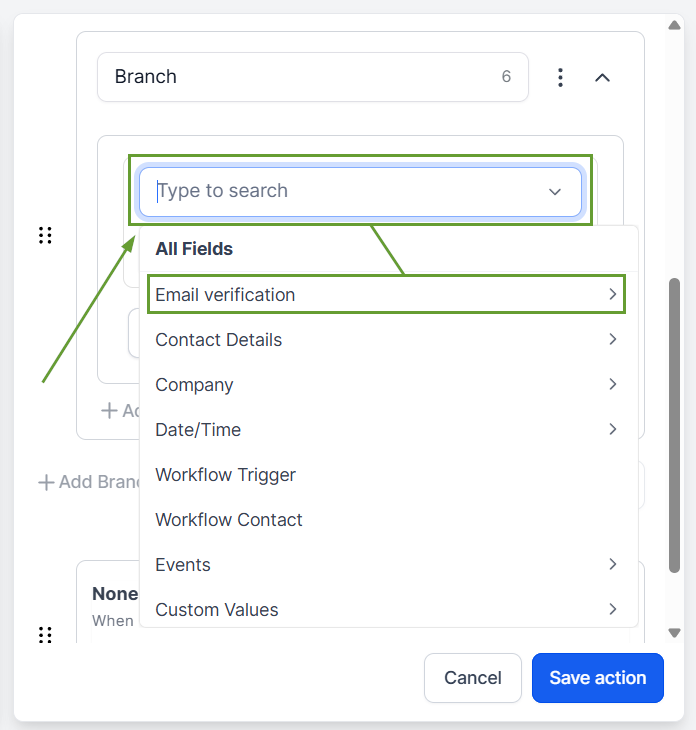
Choose True for verified emails or False to include unverified emails, then click Save action and continue setting your workflow.
⭐️Why Is This Feature Beneficial To Your Company?
Automated Verification: This action checks whether an email address is valid, risky, or invalid before the workflow proceeds, creating embedded control points.
Improved Quality: This ensures emails are only sent to high-quality contacts, helping reduce bounces and protect your sender reputation.
Simplified Management: The action’s compatibility with other automation actions helps you easily handle big contact flows without lowering sending rates.
And there you have it, now you can verify email addresses directly within workflows before sending any emails, by adding the Email Verification action to check the validity of a contact’s email. We hope you enjoy it!
