Entrance Animation for Sections, Rows, and Columns
Previously, animating a page meant setting up animations and timing delays by hand for every single element. This required expertise and often led to chaos, so we’ve added automatically hierarchically sequenced animations that give your pages a polished reveal that captures user attention. Let’s learn how to use them!
⭐️ How To Add Entrance Animation for Sections, Rows, and Columns?
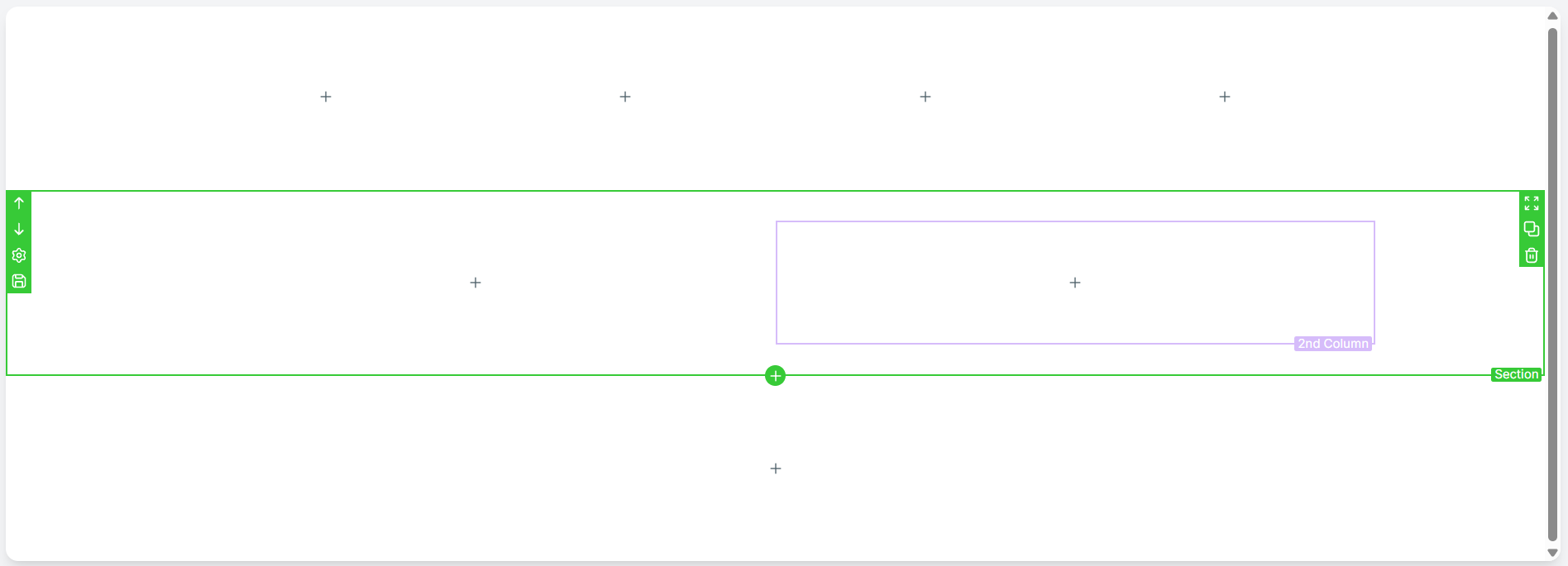
Select any Section, Row, or Column on the builder canvas.
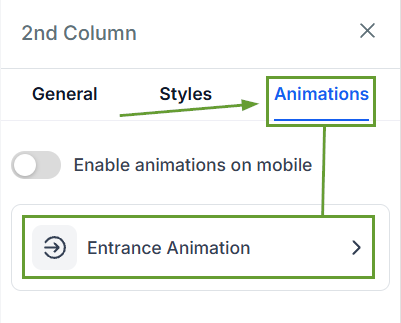
Open the Animations tab in the sidebar and select Entrance Animation.
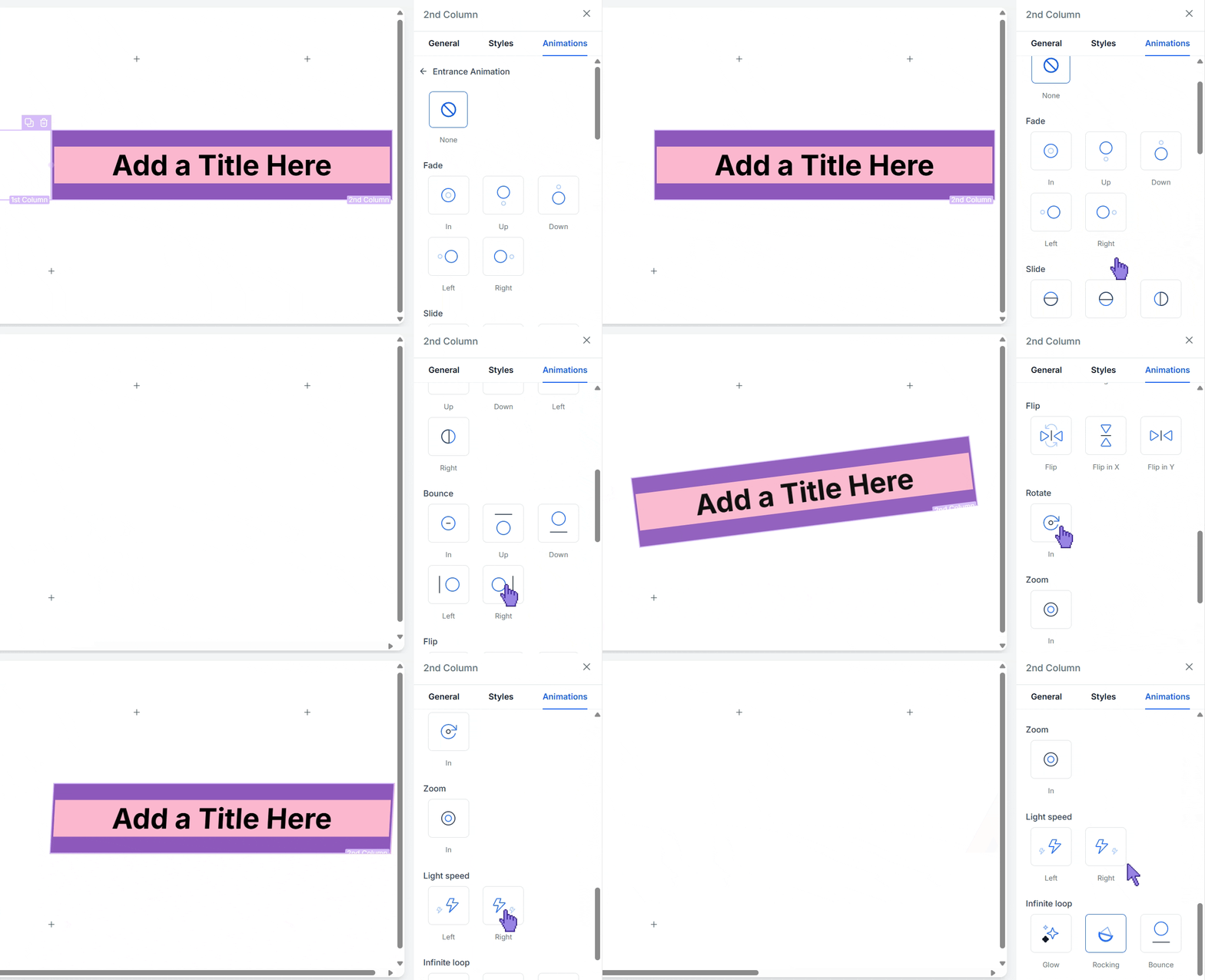
Hover over any animation card to preview the effect live on your selected block, and select your desired animation style.
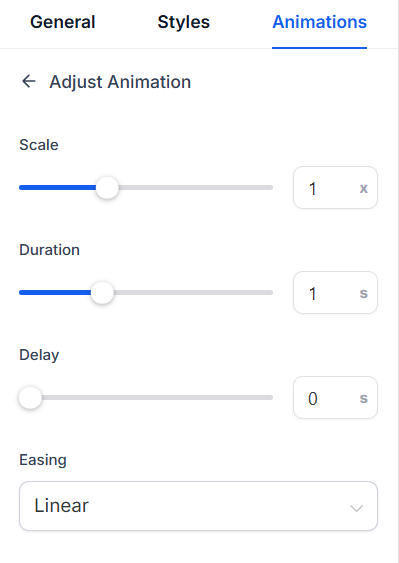
Fine-tune settings such as Duration, Delay, Scale, and Easing.
⭐️Why Is This Feature Beneficial To Your Company?
Layout Resilient: Reordering or editing blocks automatically updates the sequence without breaking animation timing.
Zero Math Required: Automatic sequencing eliminates manual delay calculations and custom CSS. Existing published pages automatically benefit from updated sequencing logic without requiring a re-save.
Interactive Animations: Motion triggers only when elements scroll into view, and you can toggle Enable animations on mobile if you want the effect to play on mobile devices.
Animation settings are applied as styling rather than leaking into the page markup, which keeps your page unbloated and responsive without the need for CSS expertise, giving you a competitive edge in capturing customers’ attention. We hope you enjoy it!
