Image Captions in Blog Editor
Adding SEO text to your blog images increases its presence in online results. Now, you can reap those benefits while making your blog more accessible with image captions. Let’s learn how!
⭐️ How To Add Image Captions?
Open any post in the Blog Editor.
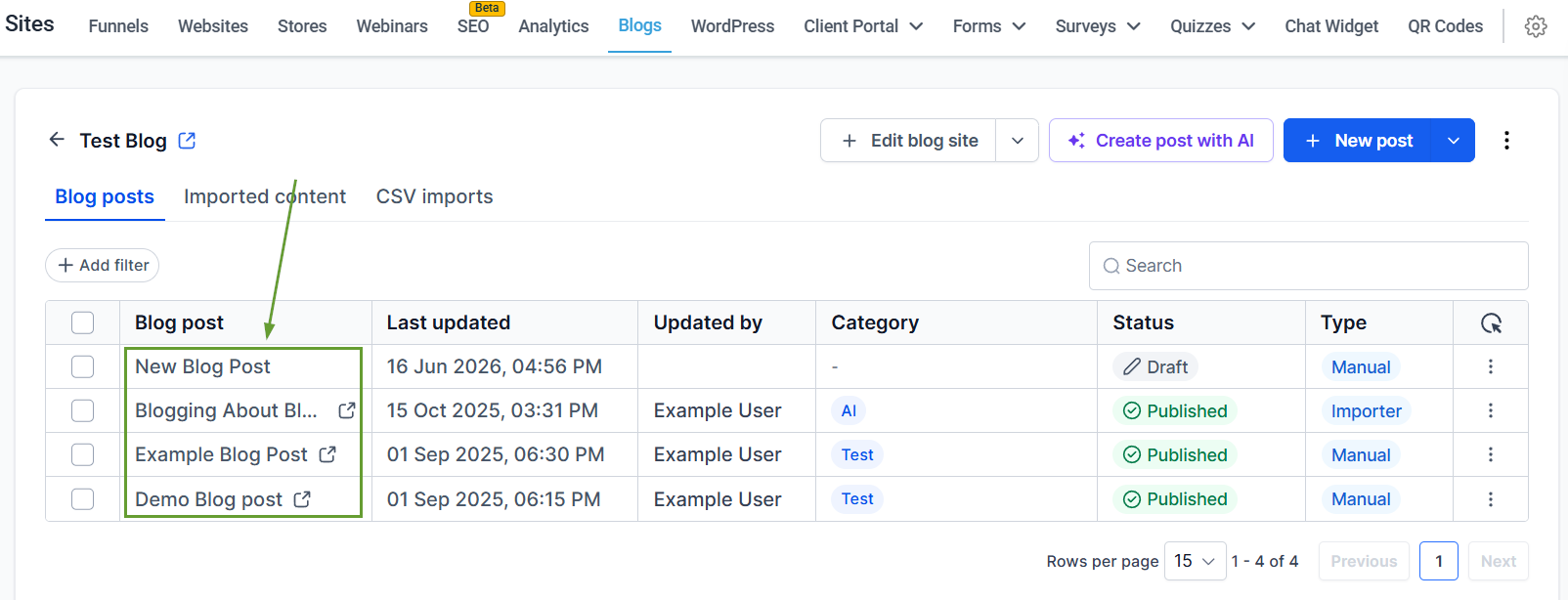
Insert or select an image.
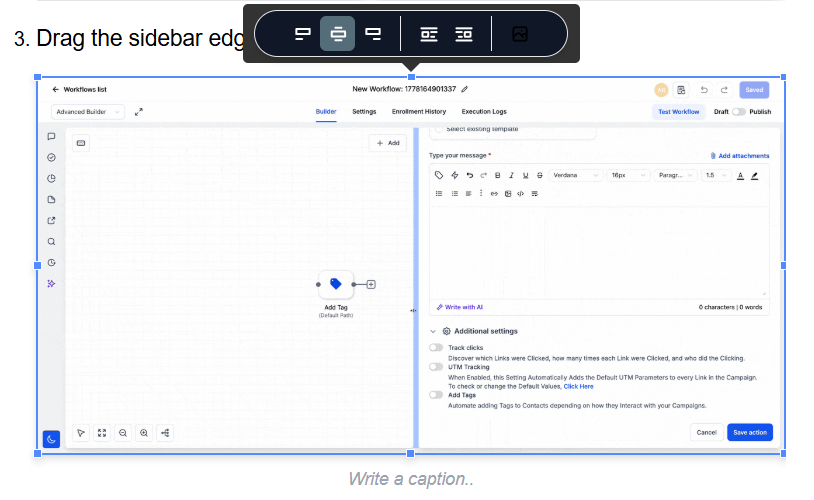
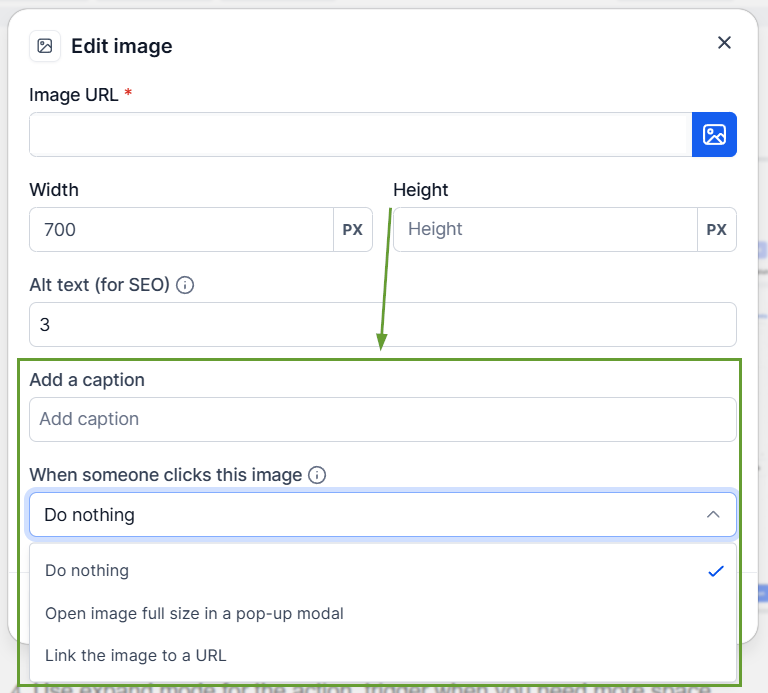
Add captions or configure image behavior from the image toolbar.
Save or publish your blog.
⭐️Why Is This Feature Beneficial To Your Company?
Responsive Captions: Improve storytelling with captions, with an easily editable caption field below images, image attachment, and multi-line support.
Smarter Keyword Addition: The editor converts them into individual keyword chips, allowing you to add multiple SEO keywords at once while scheduling blog posts.
Enhanced Image Actions: Images now support more interaction options directly from the toolbar, including “open image full-size in a pop-up modal,” “link image to a URL,” or “do nothing.”
This helps you create more visually polished blogs, configure image interactions without code, and reduce dependency on external editors or custom HTML. We hope you enjoy it!
