Import Content to Courses from Another Course
Reusing proven content helps you optimize your course creation process, making it faster and simpler than before. Now, you can import content from an existing course directly into another within the Builder for a smoother experience. Let’s learn how!
⭐️ How To Import Content from Another Course?
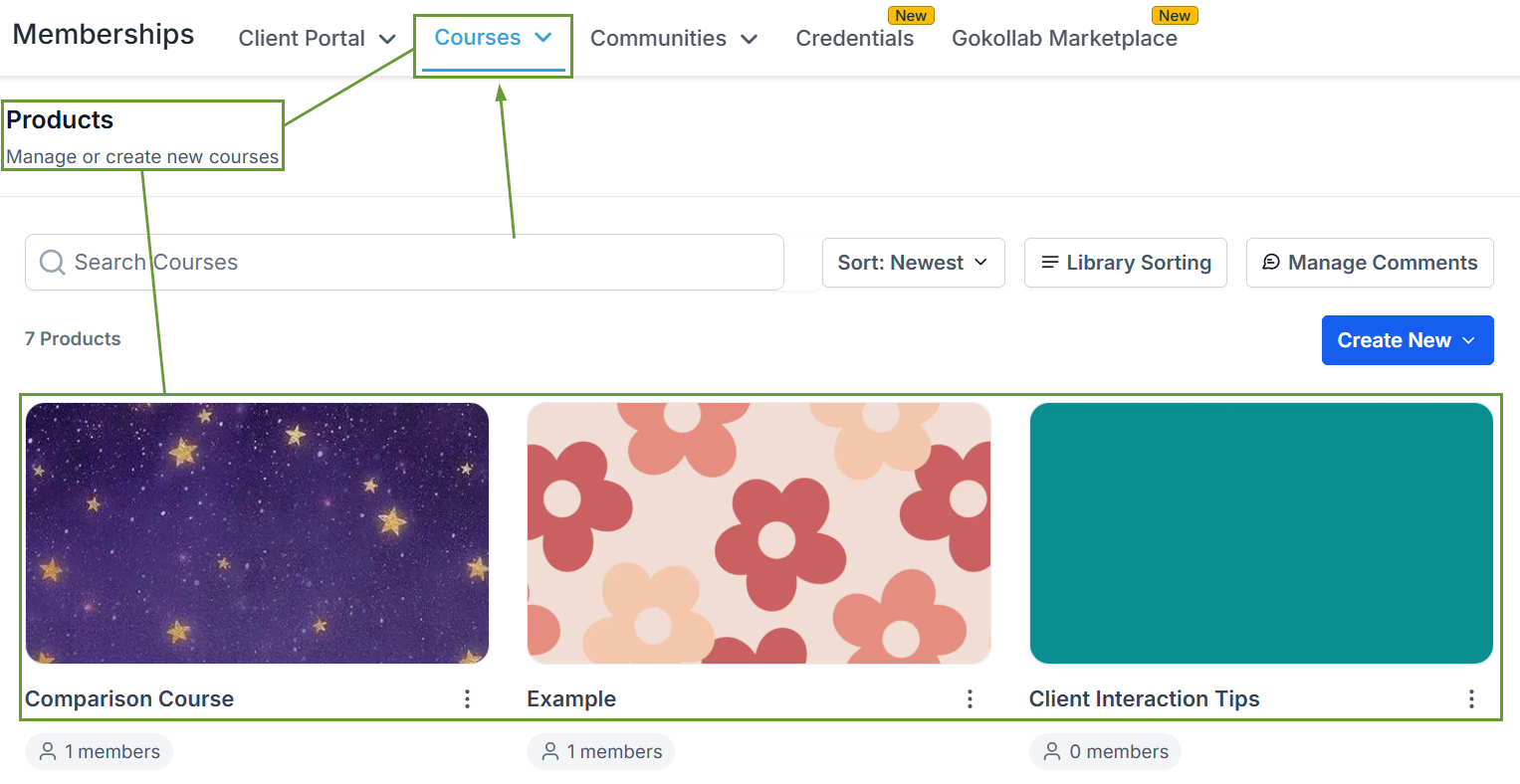
Head to the Product Courses tab inside the memberships section and select the course you want to edit.
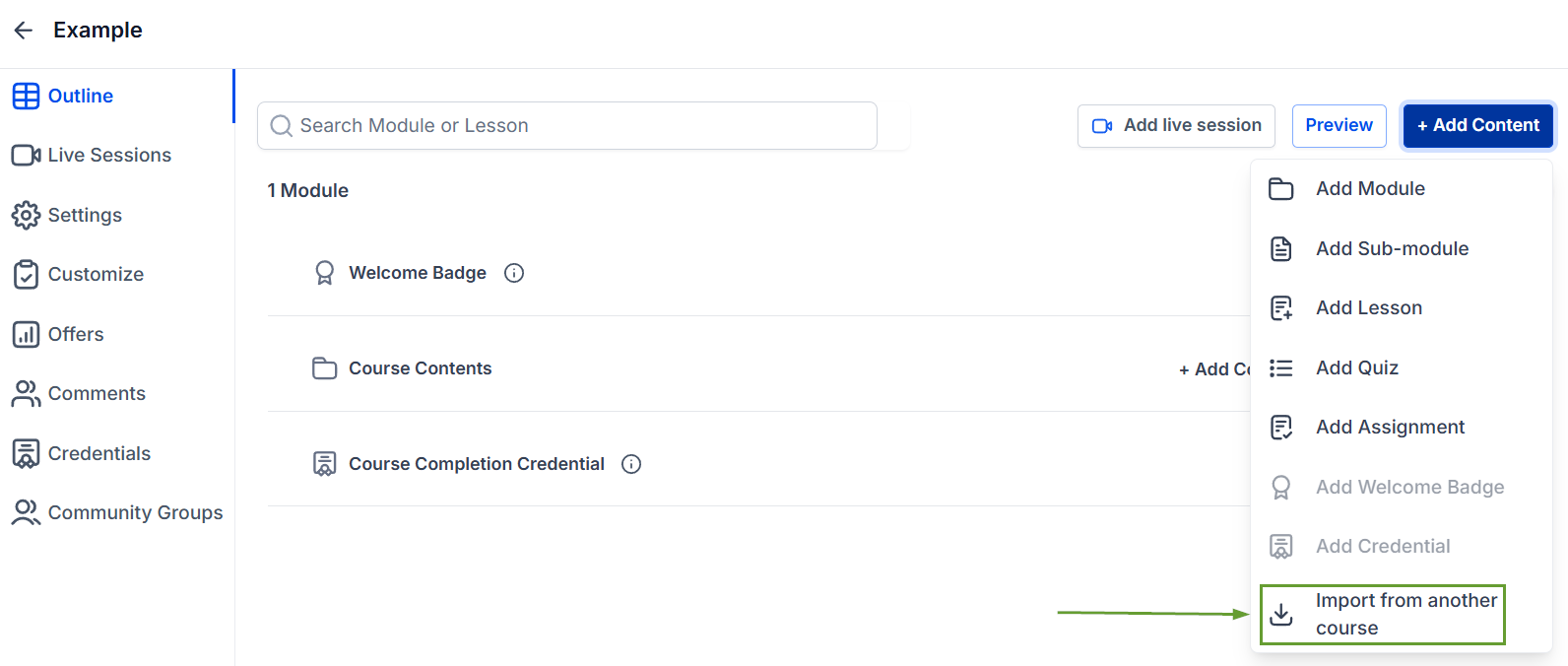
Click “+ Add Content” then select Import from another course.
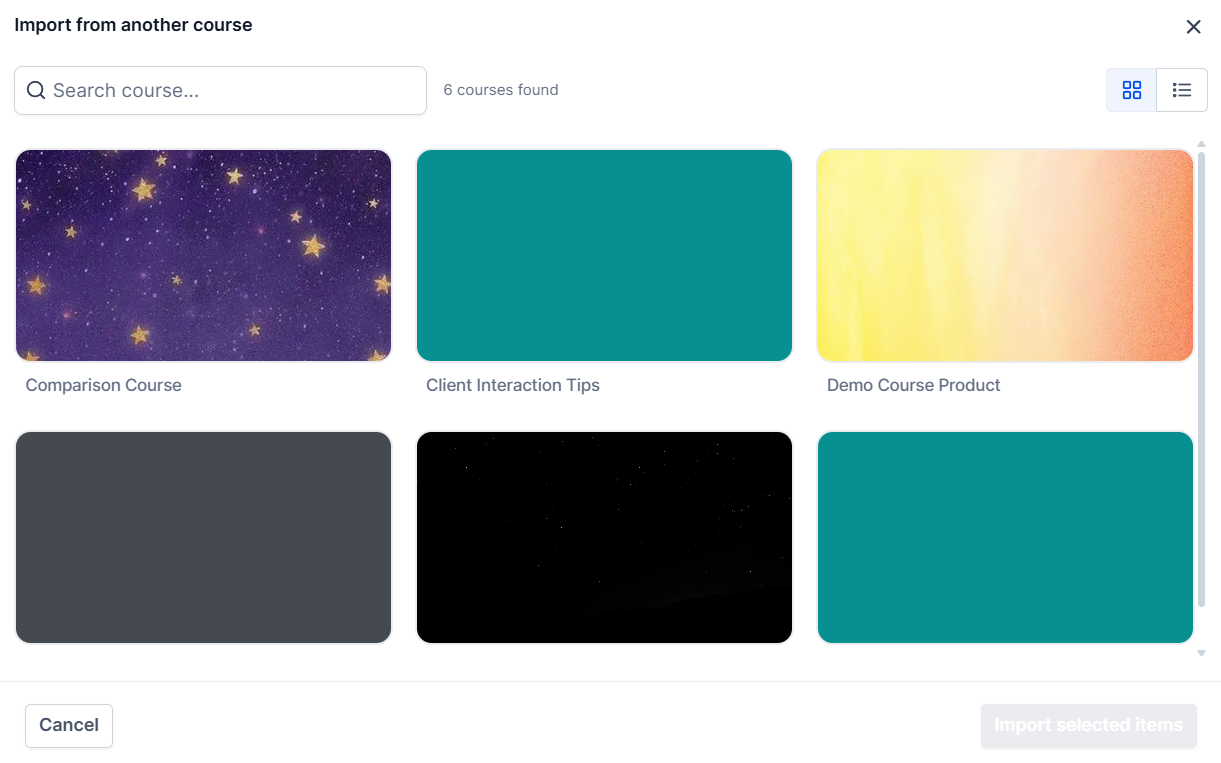
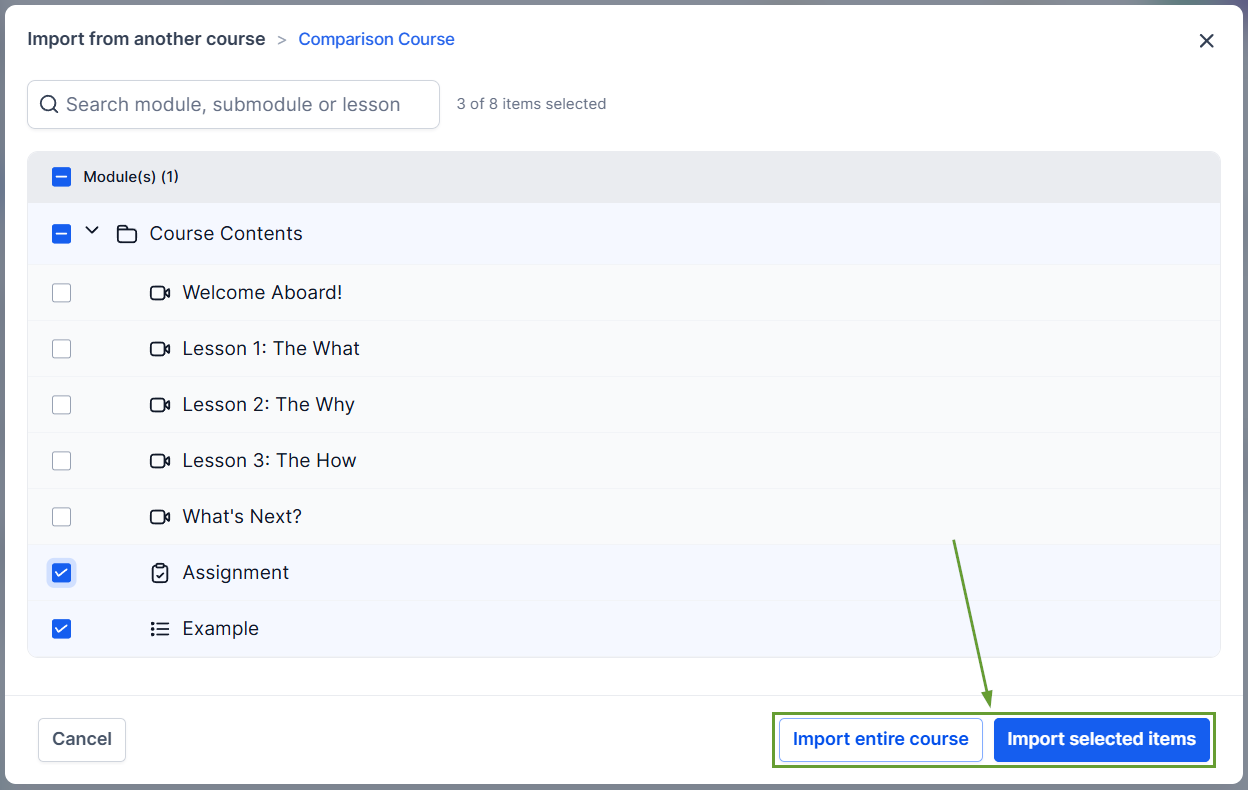
Select the Course you want to take content from. This can be done for entire courses or selected items.
Select the content you want to import, then click Import selected items or Import entire course if copying all modules.
⭐️Why Is This Feature Beneficial To Your Company?
Flexible Imports: Bring in anything from a single lesson to a complete course structure, keeping key lessons consistent across courses while still providing diverse experiences.
Streamlined Course Creation: This reduces manual effort when building similar courses, leading to a faster turnaround time by reusing existing content.
Increased Consistency: Create a standardized curriculum across courses, modifying only the specifics you need.
All imported items are added to the destination course and are ready for immediate editing. This helps you fully increase your efficiency when creating courses that share common topics. We hope you enjoy it!
