Live Sessions in Courses
Live Sessions in Courses make it easy to plan, host, and reuse live learning. Giving you a central hub, connected to your course’s content, where you can seamlessly interact with your learners. Let’s learn how to use it!
⭐️ How To Create A Live Session?
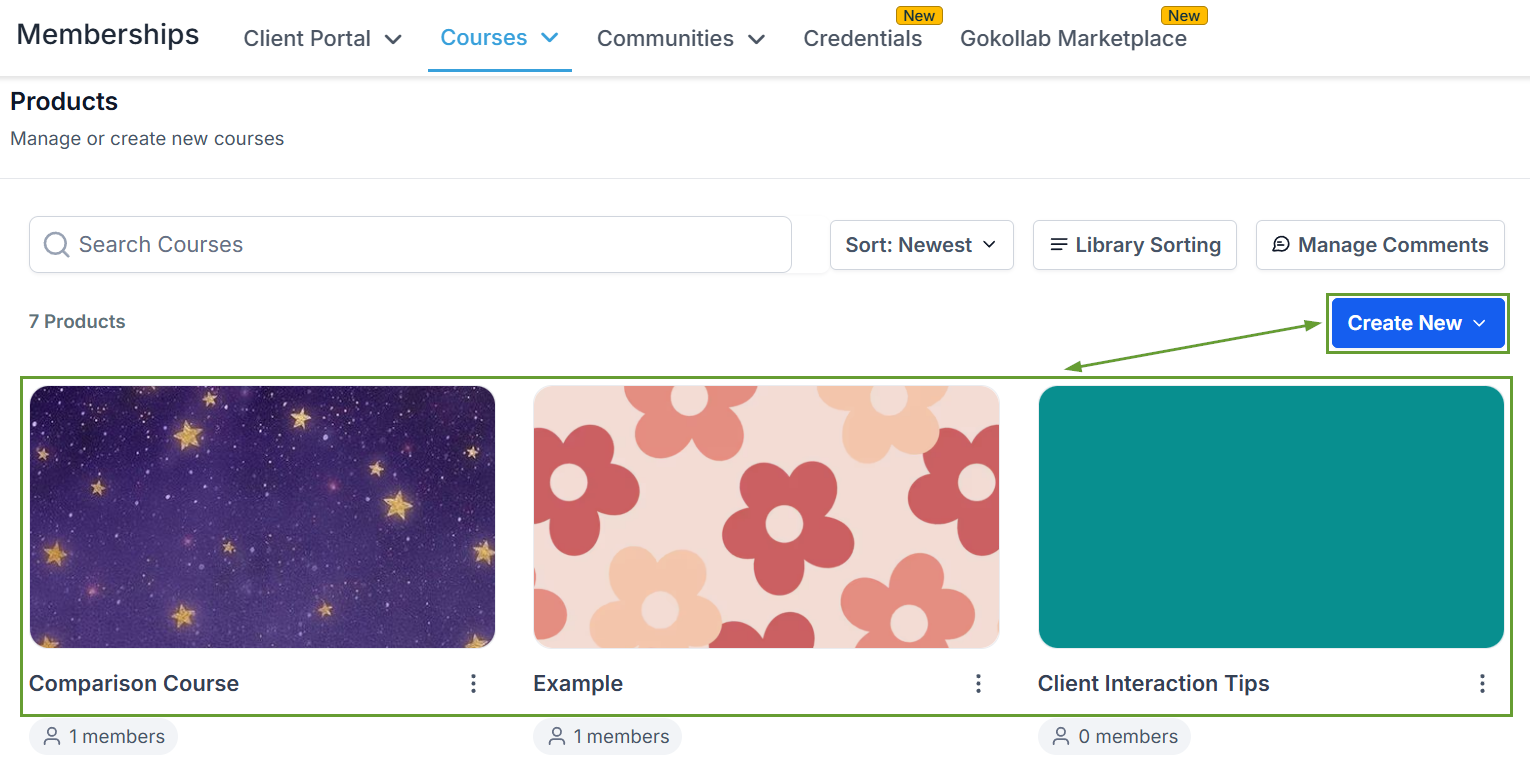
Head to the Courses Products tab and create or edit a Course.
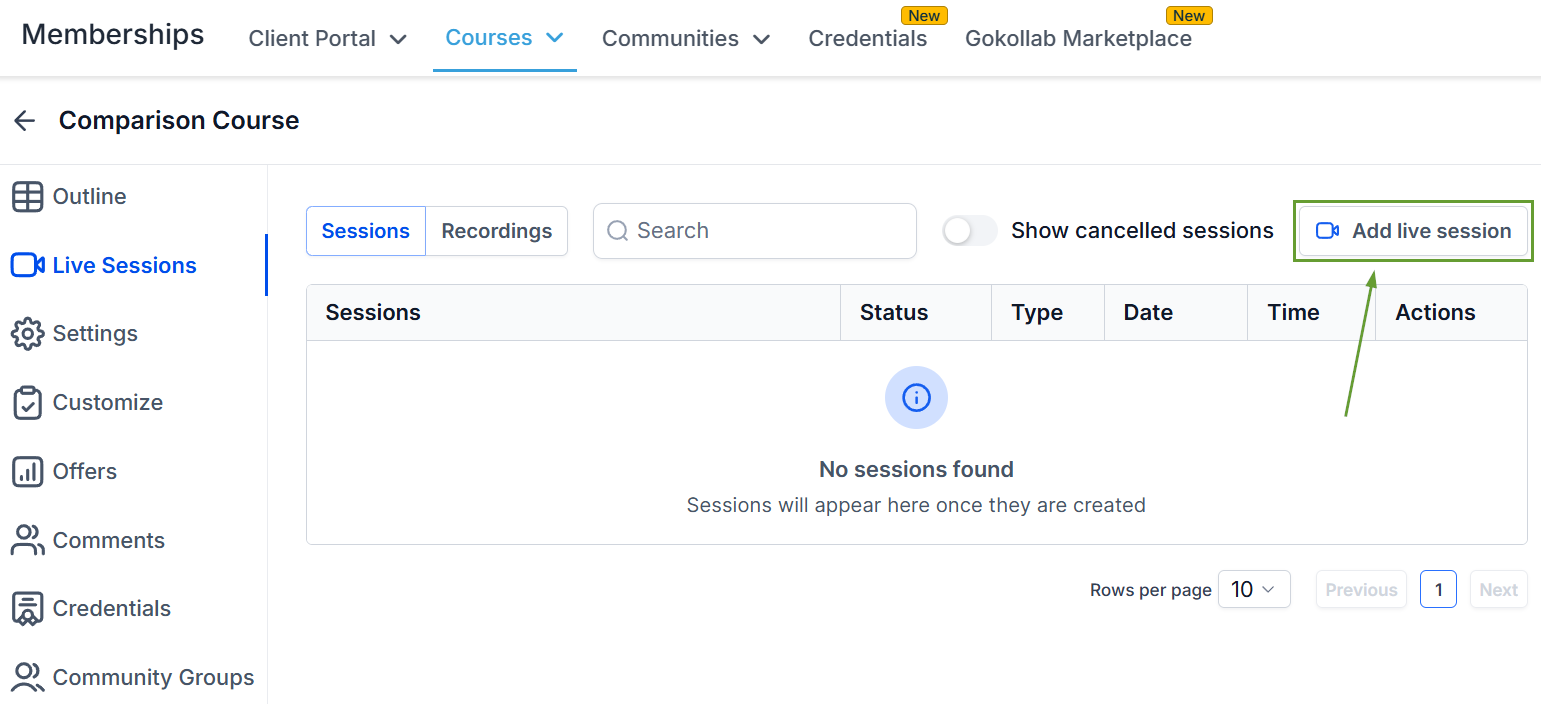
Switch to the Live Sessions tab and click “Add live session” in the top right corner.
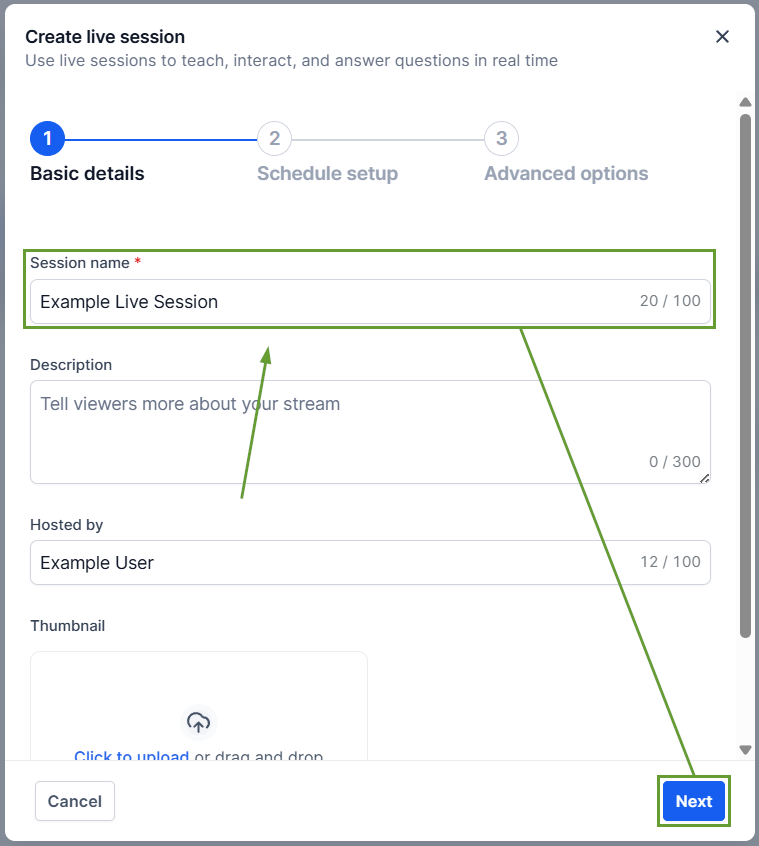
Enter a Session name and a thumbnail if desired, then click Next.
Enter the date and time details, and click Next.
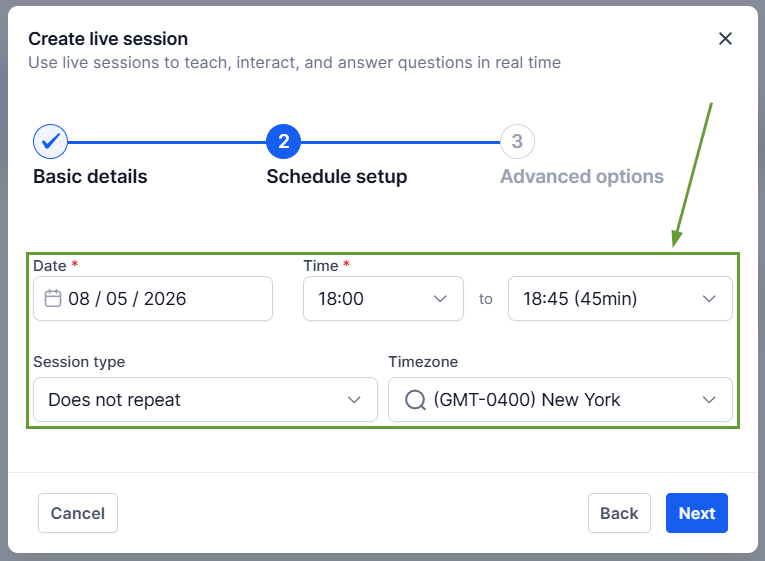
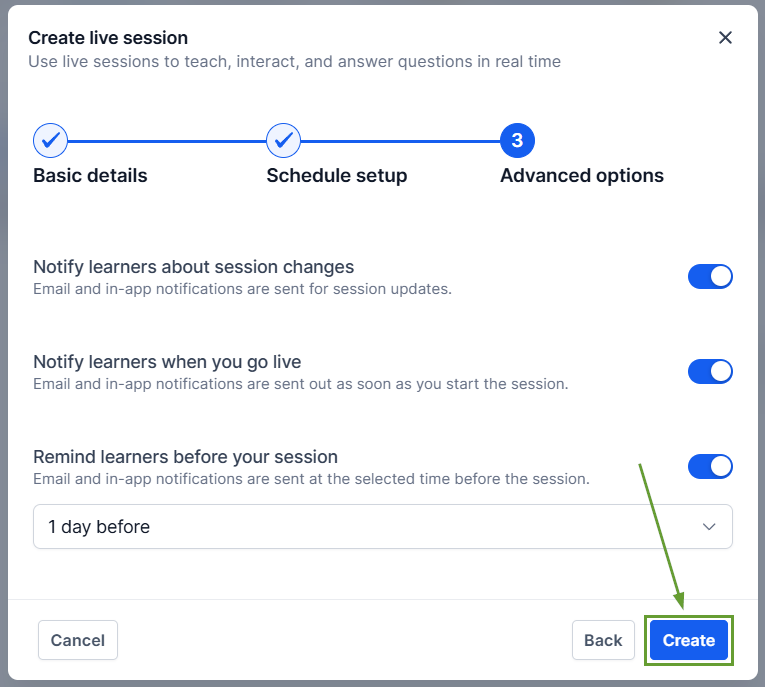
Set the Advanced Options, and lastly click Create to add your session.
⭐️Why Is This Feature Beneficial To Your Company?
Flexible Session Scheduling: You can schedule both one-time and recurring sessions directly within a course, with full support for custom sessions for recurring scheduling.
Integrated Management: You can edit or cancel sessions at any time. For recurring sessions, updates can be applied to a single occurrence or all upcoming sessions, offering flexibility without disrupting the entire schedule.
Embedded Recordings: After sessions end, creators can access, download, and add recordings back to the course as lessons for future viewing.
Live Sessions unify scheduling, hosting, notifications, learner access, and recordings into a single workflow, making live teaching simpler for creators and more engaging for learners. We hope you enjoy it!
