
Manage Columns in Forms, Surveys, and Quizzes
Previously, Manage Fields only showed fields that had already received data in at least one submission. Now, it also includes fields from the form definition, so you can now see all fields from your form, survey, or quiz, even if those fields don’t have submission data yet.
⭐️How To Manage The Submission Columns In Forms, Surveys, and Quizzes?
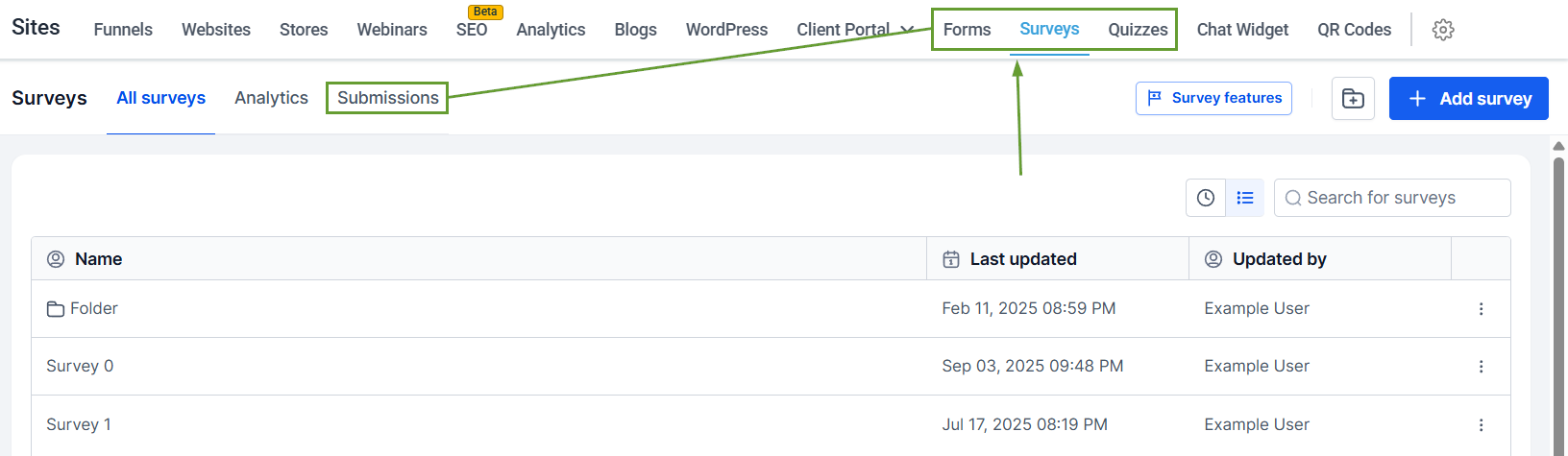
Inside the Forms, Surveys, or Quizzes tab, head to the Submissions page.
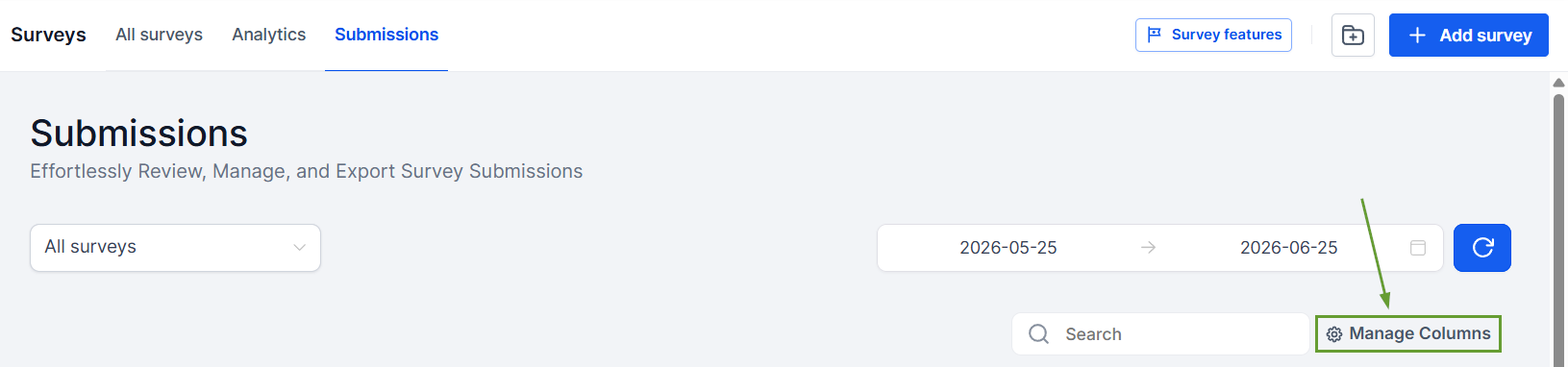
Click Manage Columns.
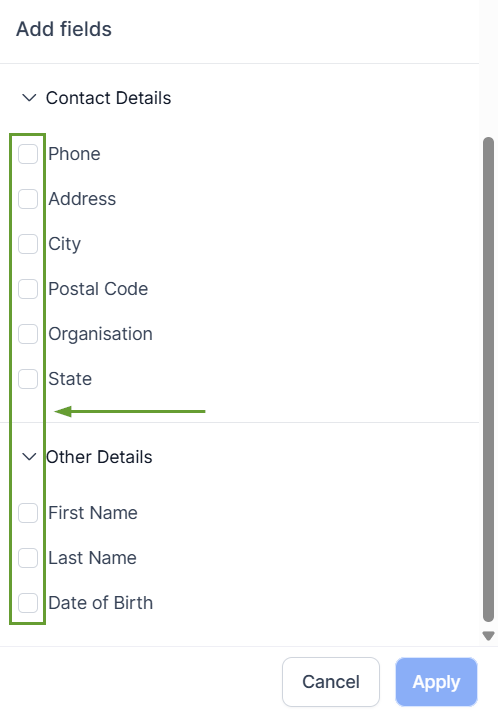
Add fields from the dropdown menu by checking the box next to them.
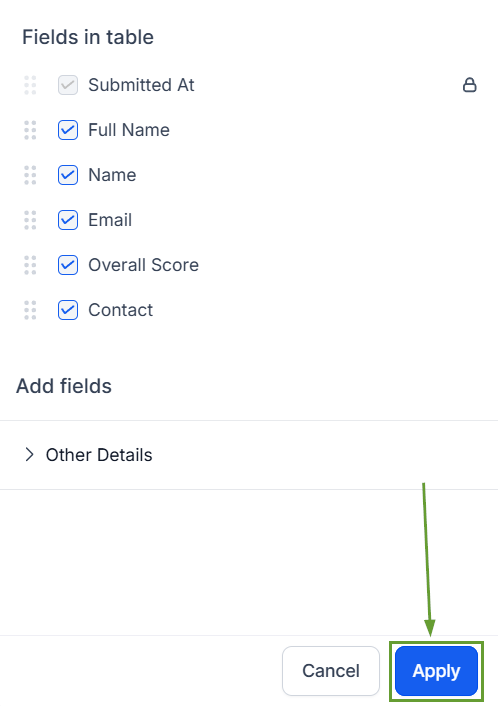
Reorganize the fields as desired, then click Apply.
⭐️Why Is This Feature Beneficial To Your Company?
Improved Visibility: New fields are visible even if they haven’t received any submission data yet, providing better insights into all available fields.
Increased Data Control: Creates a more complete and predictable submissions management experience by allowing you to manage columns before new submissions come in.
Simplified Reporting: Helps you prepare reports and views without waiting for test or live submissions, giving you a clearer overview of the most important fields.
Now, fields added after earlier submissions will appear in the available fields list, keeping your management streamlined and interpretation clear. We hope you enjoy it!
