
Single Page Unpublish for Funnels and Websites
Since Funnels and Websites are made from multiple pages, it’s common to need to remove a specific one. However, this doesn’t always mean deleting a page. Let’s learn how to hide outdated content, pause seasonal promos, or manage campaigns granularly while the rest of your site stays live with this new feature.
⭐️ How To Unpublish A Single Funnel or Website Page?
Open the funnel or website you want to manage, go to its page list, then select the page you want to take offline and open its Options menu.
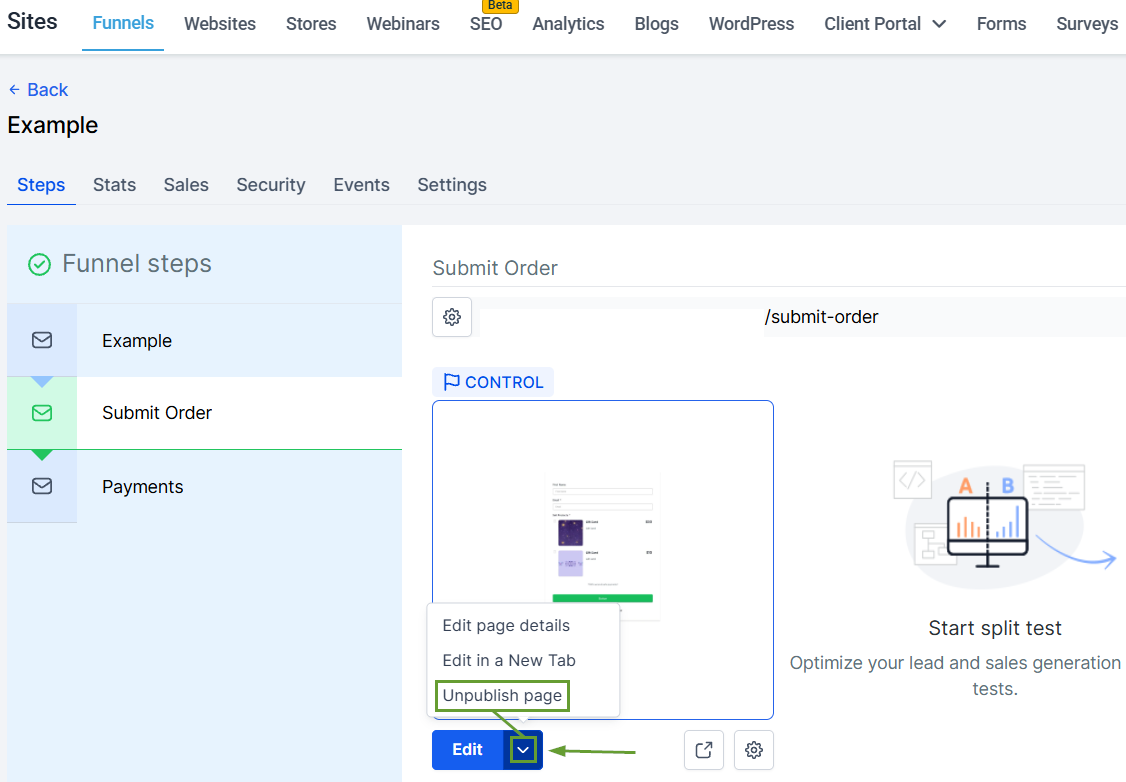
Choose Unpublish. A confirmation dialog appears, with an info banner explaining exactly what unpublishing this page will affect.
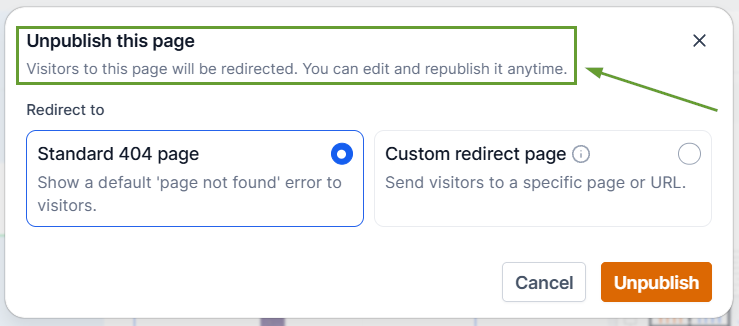
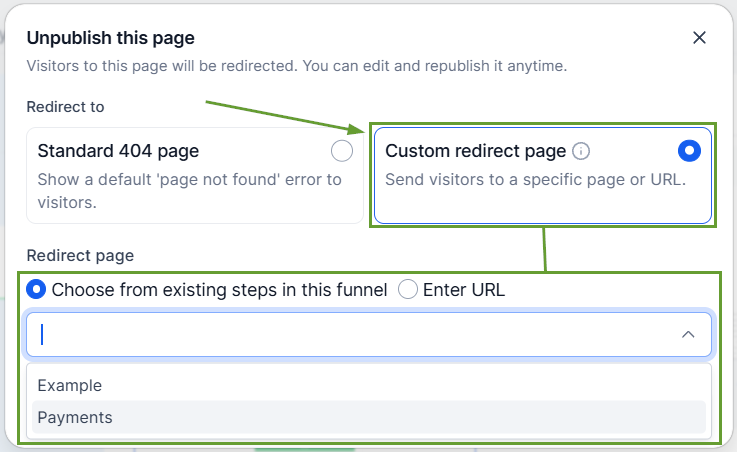
Select either a Standard 404, a redirect to an existing page, or a redirect to a custom external URL.
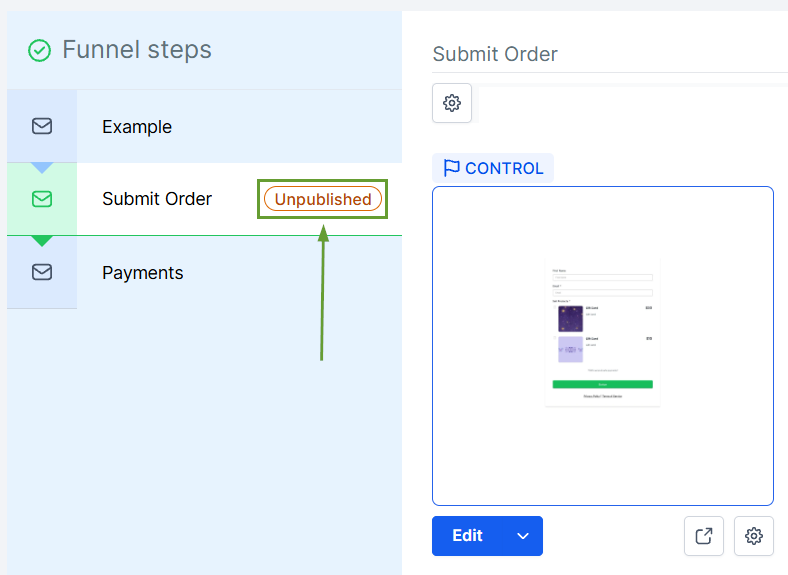
Confirm. The page goes offline and visitors hitting its URL see your chosen redirect, while all other published pages are unaffected.
⭐️Why Is This Feature Beneficial To Your Company?
SEO Preservation: No more broken links or lost link equity. The redirect step is part of the unpublish flow itself, so traffic gets routed properly the moment content comes down.
Reduced Confusion: Solves the common mistake where users disconnected their entire domain when they only meant to hide a single landing page.
Team Accountability: Every publish/unpublish records who made the change and when, so multi-collaborator teams always know a page's history.
Alternatively, you can manage everything from the builder by opening the pages side panel and selecting Publish or Unpublish as needed. This helps you quickly and easily manage individual assets rather than removing an entire domain. We hope you enjoy it!
