
AI Agent Knowledge Base Enhancement
The AI Agent action helps you manage customers without a complex setup. However, getting the perfect responses without the relevant business context is difficult; we’ve made it easier by adding Knowledge Base Search to the action. Let's check the changes!
⭐️How Do These Changes Affect You?:
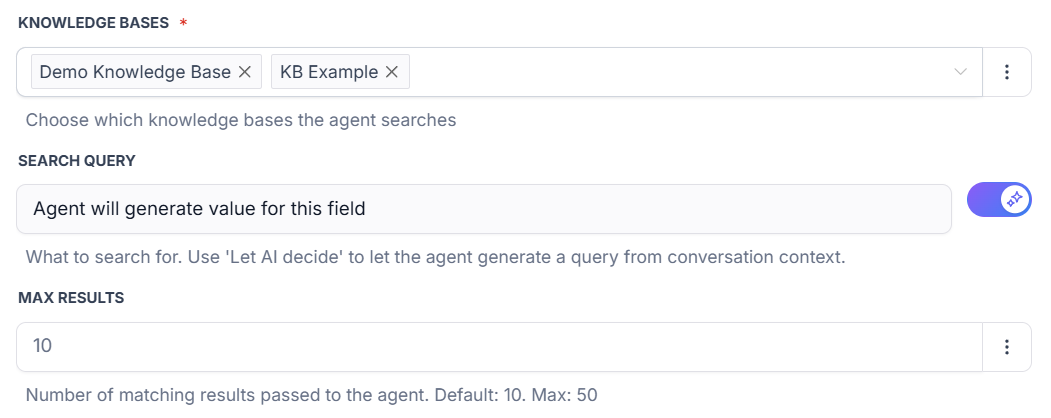
Multi-Source Support: Connect directly to your knowledge bases, adding as many bases as needed to fetch your business context for improved responses.
Prompt Data Streamlining: Retrieves only the relevant information when needed, instead of loading the full system prompt with static content.
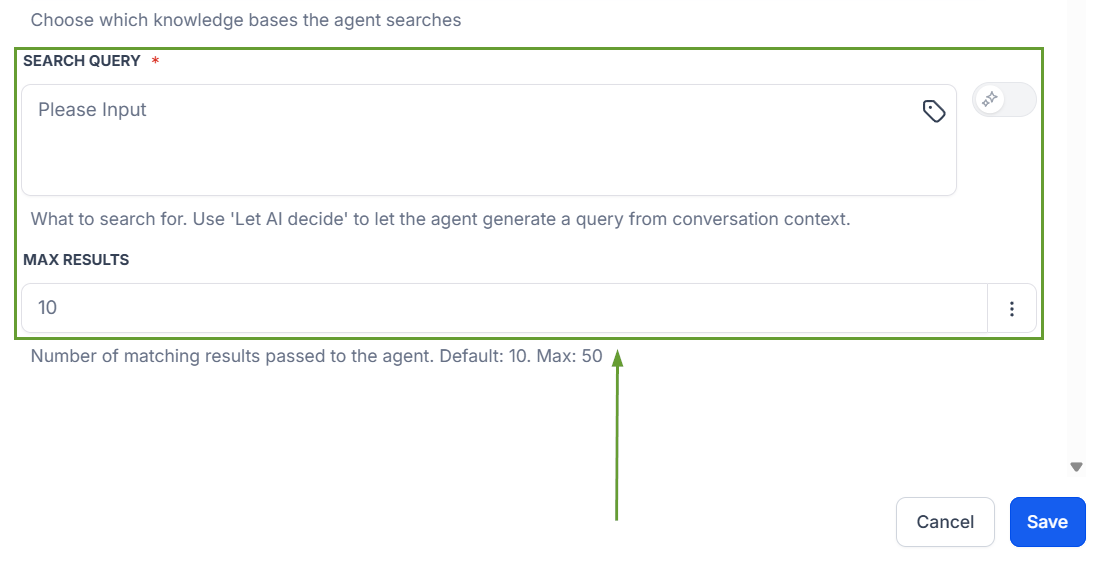
Smart Query Settings: You can set static queries or let the AI fetch them dynamically based on the conversation for easy configuration.
⭐️How To Add A Knowledge Base To Your AI Agent?
Let’s go over how to add Knowledge Base Search to your Agent’s tool set!
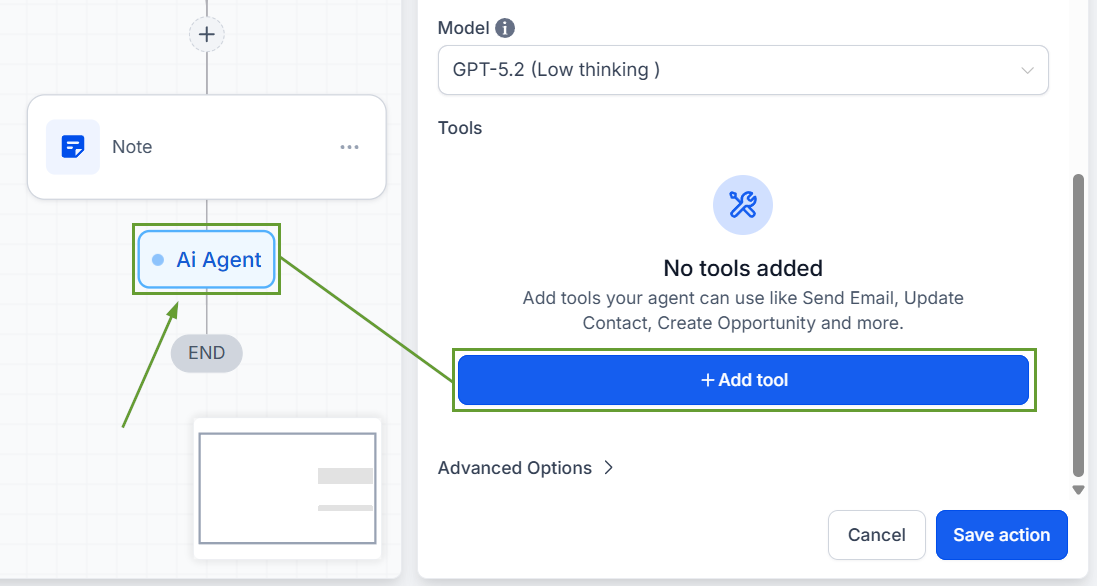
Add an AI Agent action, then click “+ Add Tool.”
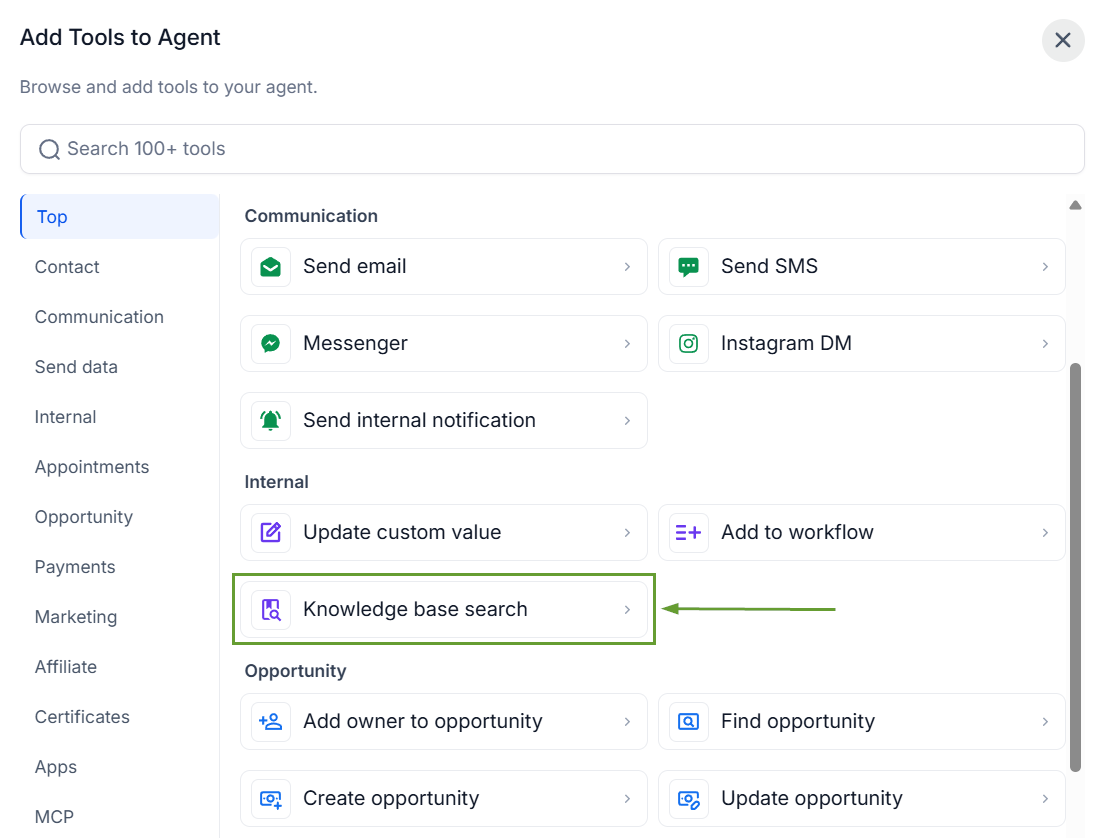
Pick Knowledge Base Search as a tool inside the selector.
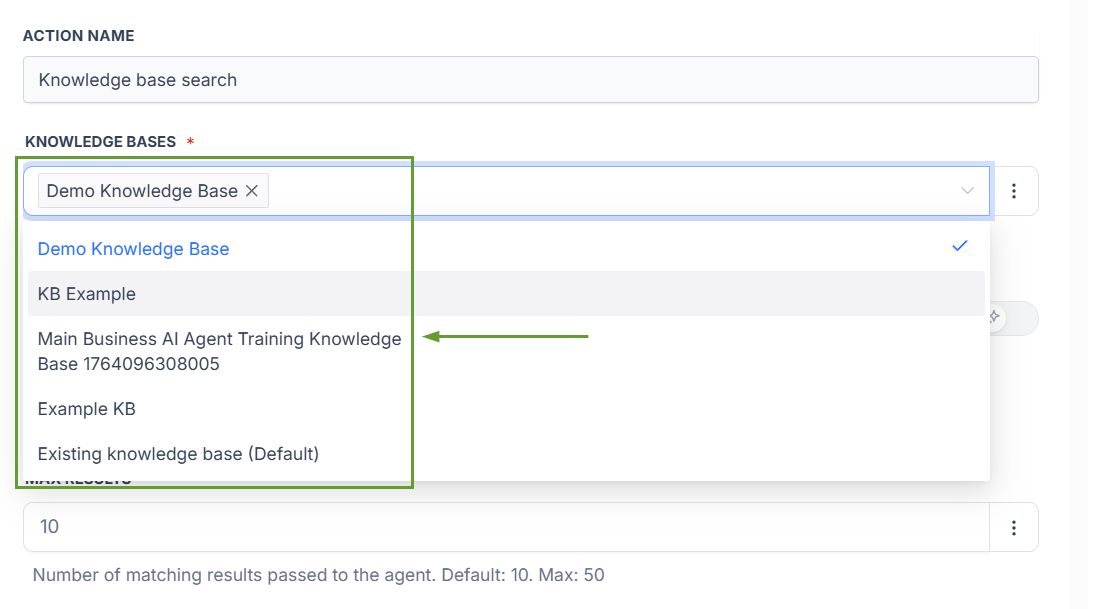
Choose which knowledge bases the agent should search.
Define a search query, then set the number of chunks the agent retrieves from the knowledge base.
By using this tool, you can avoid front-loading the prompt with pages of business context, keeping your prompt light, reducing token usage, and delivering more accurate, grounded responses. We hope you enjoy it!
