
Custom Fields in Membership Questions
Community questions help you collect important information during onboarding. Now, you can sync these responses to the corresponding CRM contact record and collect data using already created Custom Fields. Let’s learn how to add them!
⭐️ How To Add Custom Fields in Membership Questions?
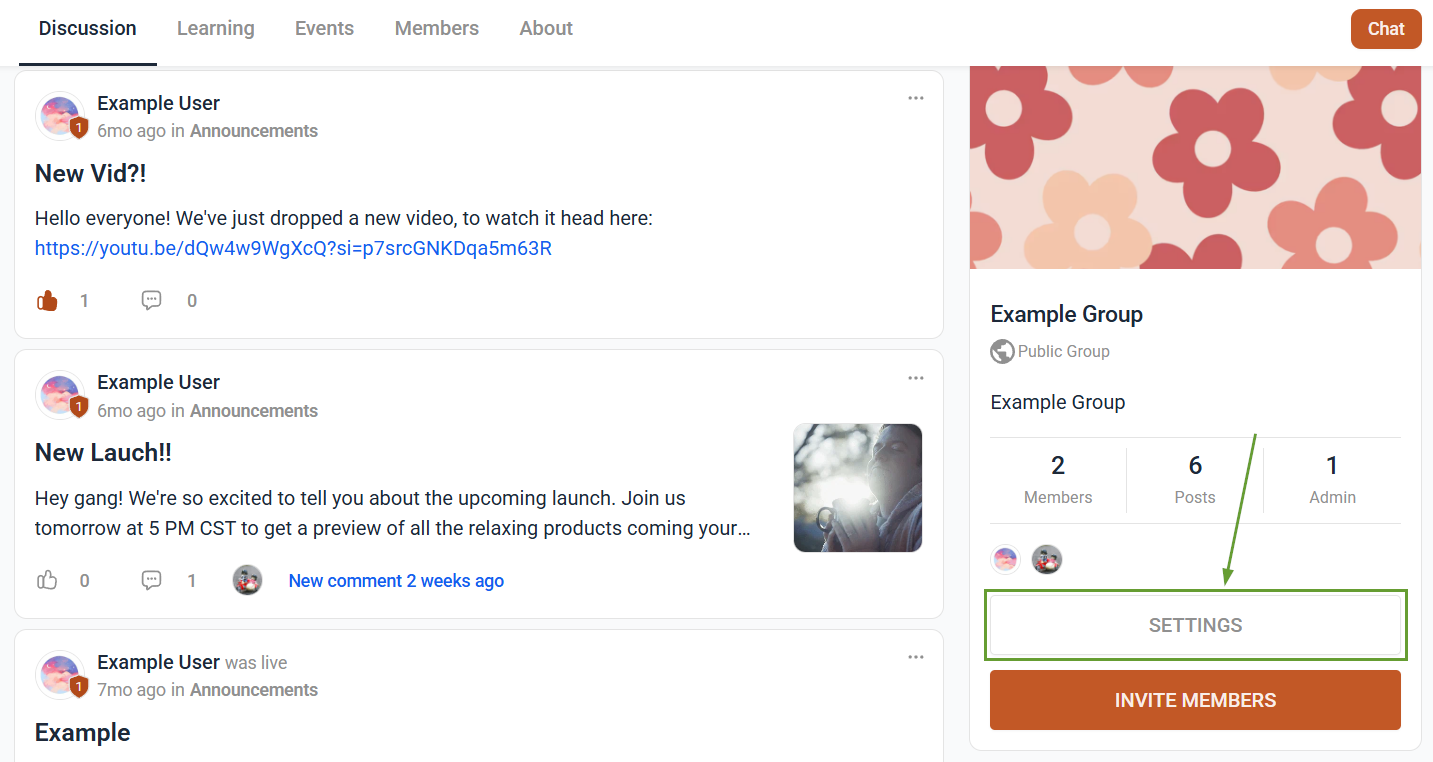
Access your desired group, then open your Community Settings.
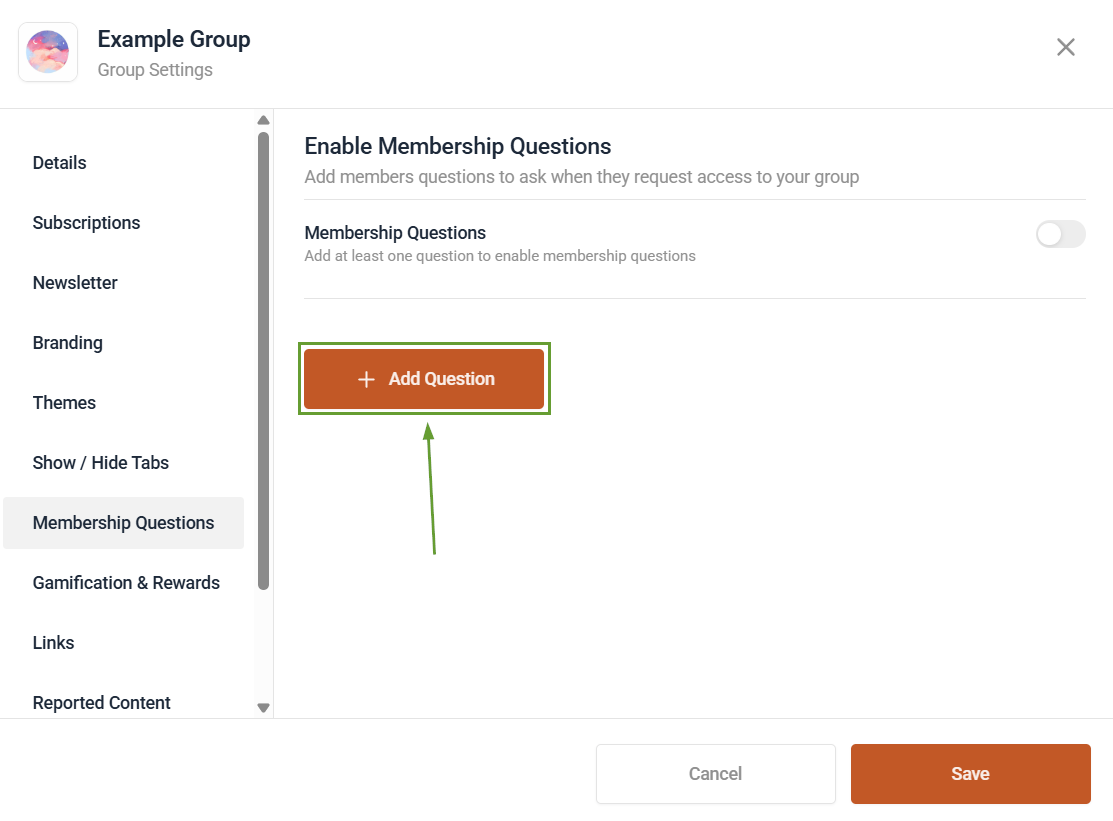
Navigate to Membership Questions, and click Add Question.
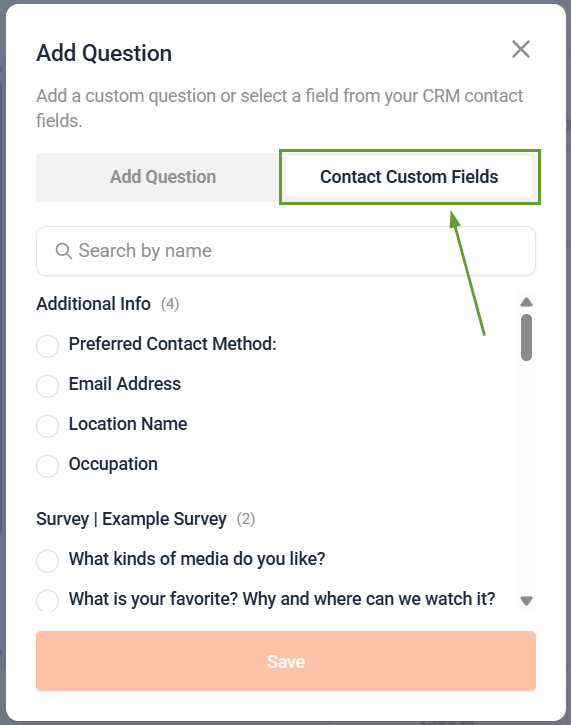
Select the Custom Fields tab and choose the CRM custom field you want to use.
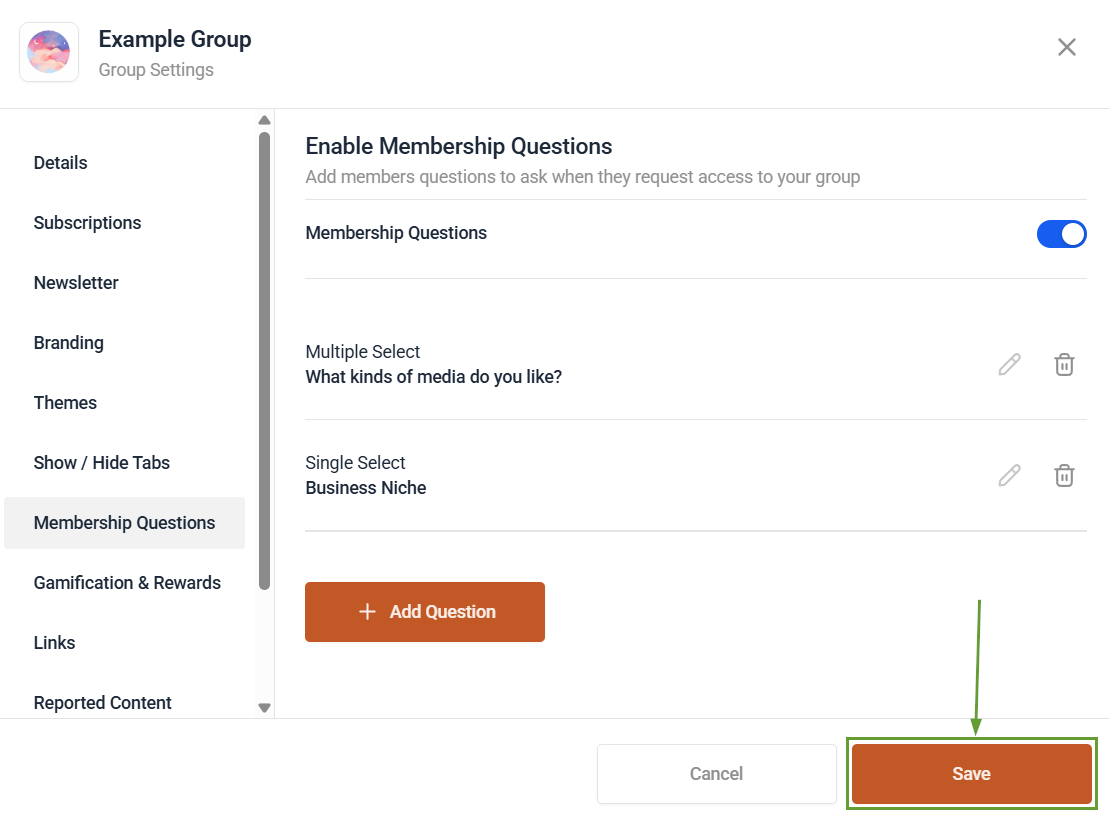
Enable the Membership Questions, then click Save.
⭐️Why Is This Feature Beneficial To Your Company?
Connection With Workflows: By using custom fields, you can connect members’ profiles to your workflows, making it easier to interact and market to them.
Automated Approval: Reduce the waiting time and effort required to add members to your groups by using custom fields to automate the process.
Updated Contact Records: This keeps the related contact record’s information relevant, using their responses to update their information without manual data entry.
Membership answers are now automatically synced to CRM custom fields, enabling automated approvals, workflows, and up-to-date contact records without manual data entry.
