Manus Actions & Triggers
Manus is an AI tool designed to independently carry out complex tasks without continuous human guidance, so if you’re looking to connect it with your CRM, this integration allows you to trigger workflows based on Manus task activity and perform task operations. Let's learn how to use it!
⭐️How To Integrate Manus AI And Use It In Workflows?
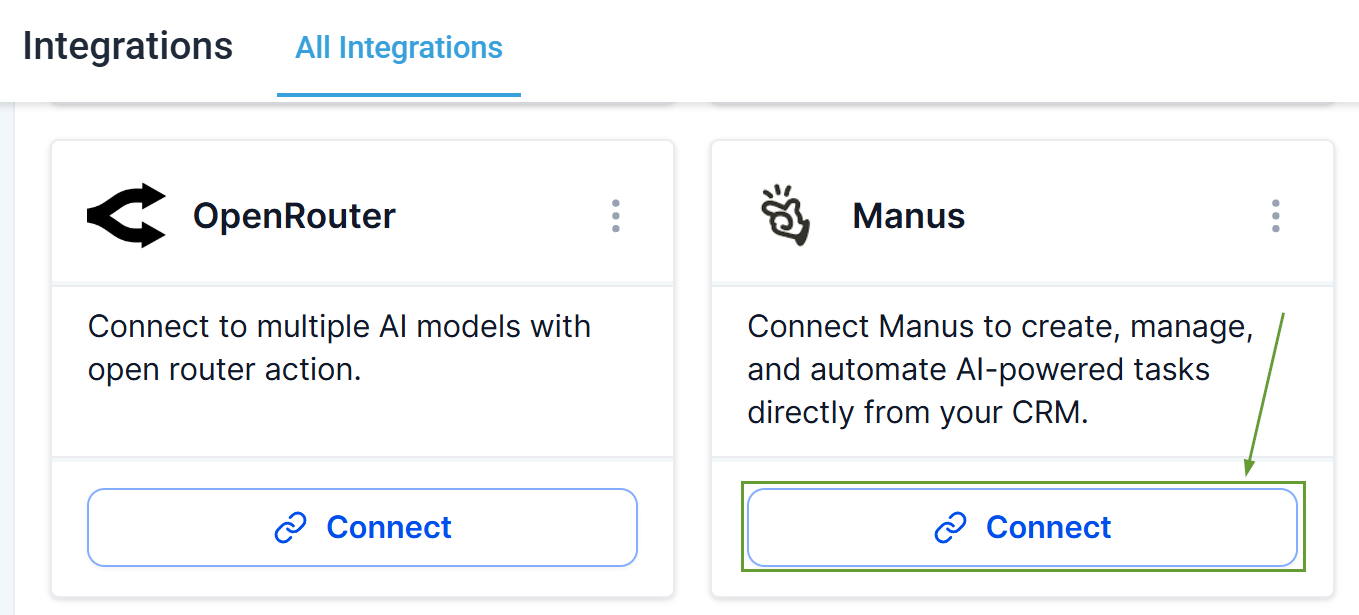
Head to the Integrations section inside your subaccount settings and click Connect under Manus.
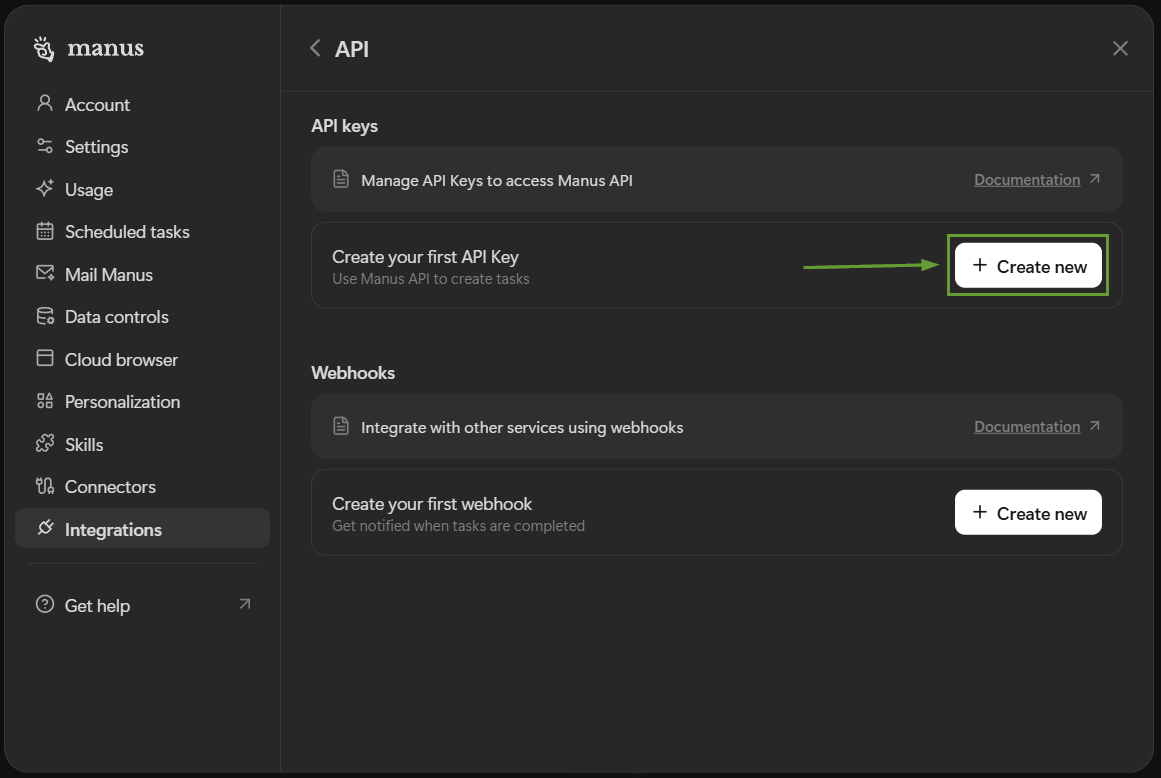
Inside your Manus account settings, create and copy an API key for your CRM.
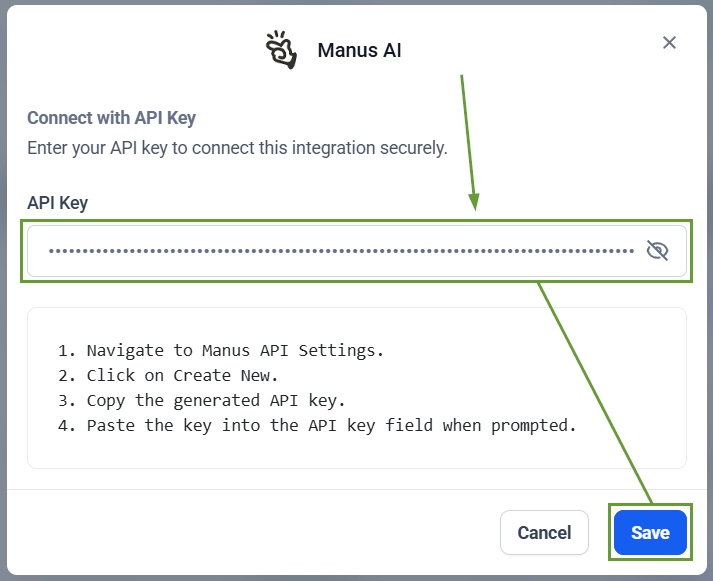
Paste the API key, then click Save.
Inside your workflows, look for Manus AI in the apps section of your Triggers or actions.

⭐️Why Is This Feature Beneficial To Your Company?
Direct Connection: This update allows you to integrate your already existing work with the system. Easily eliminating reliance on Zapier, Make, or custom webhooks.
Improved Management: Instantly send instructions to Manus or react to Manus task lifecycle events, creating a seamless experience management for customers.
Simplified Fail-Safe: Correct the AI’s course as events happen, providing preventive follow-up prompts, or easily modifying task metadata or parameters to suit your business needs.
Make the most out of your existing Manus automation, and improve your bot without manual intervention, using the CRM as a guidance tool. We hope you enjoy it!
