New Goal Events
The Goal Event action helps you efficiently manage contacts who meet a specific condition. We’ve increased the events this action supports to include when a contact pays an invoice or clicks a review request link. Let's check the changes!
⭐️How Will These Changes Affect You?:
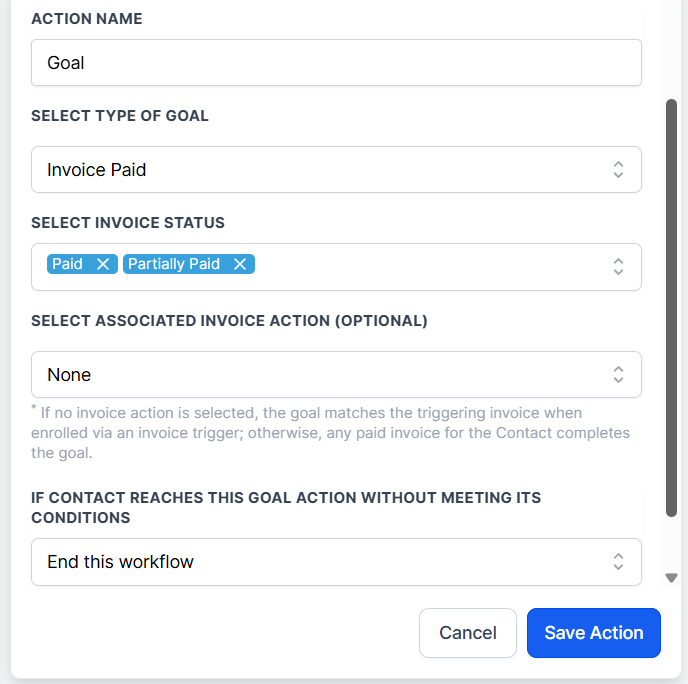
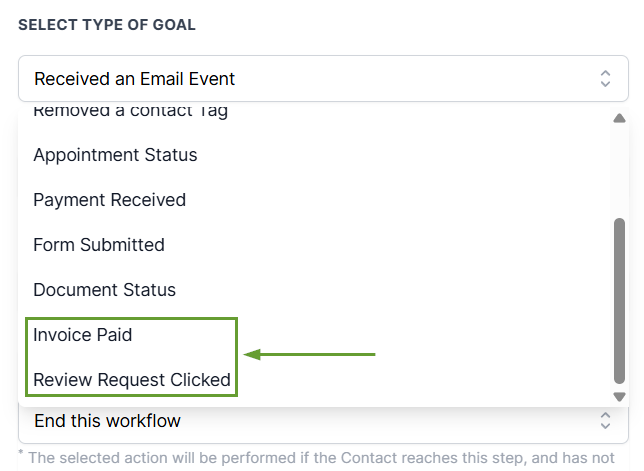
Invoice Paid: The goal is complete when the contact has an invoice marked Paid or Partially Paid, and can be filtered to the one tied to your selected Send Invoice step (if chosen).
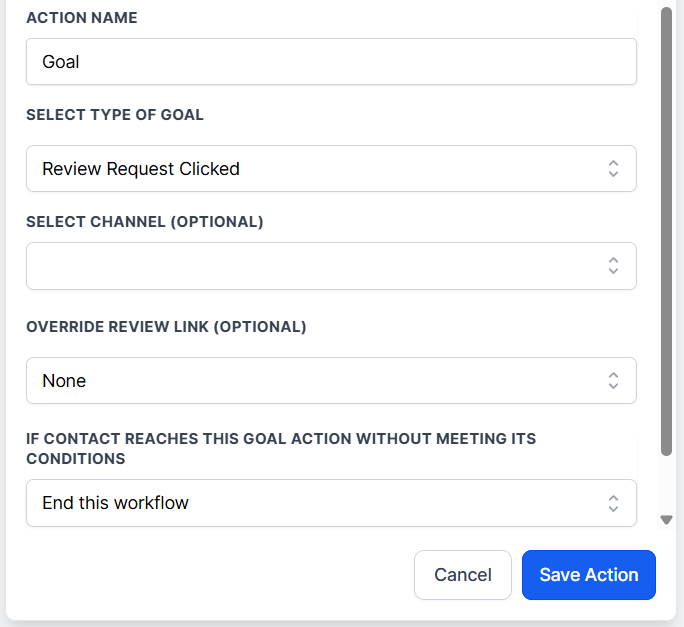
Review Request Clicked: The goal completes when the contact clicks a review request link across any channel. You can filter this event to include only limited channels or review links.
⭐️How To Use The New Goal Events?
Setting these goal events follows the same pattern as existing ones. But, in case you aren’t familiar with the Goal Event action, follow along to learn more about it!
Head to the Workflows tab inside the Automation section and create or edit a workflow.
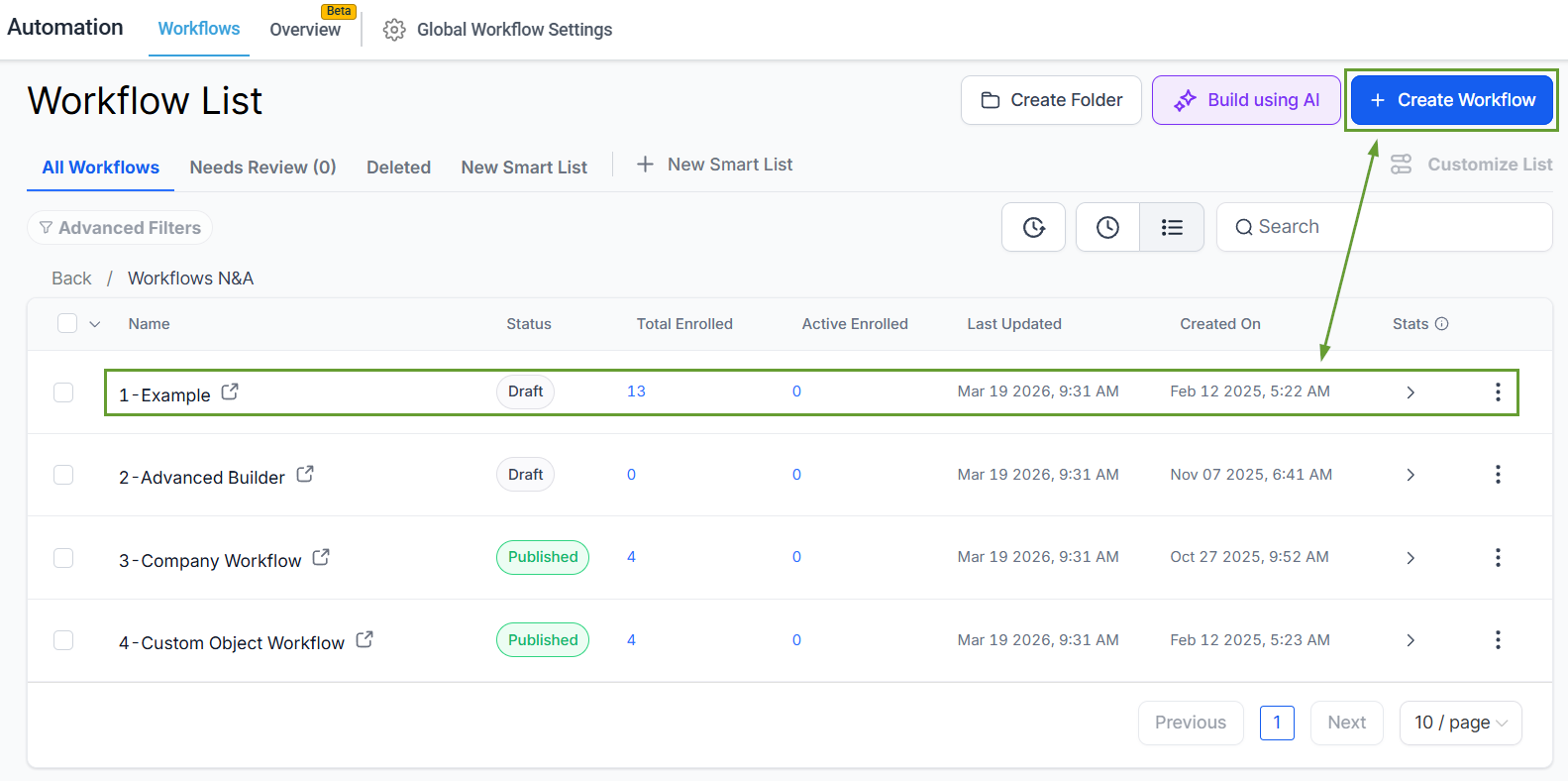
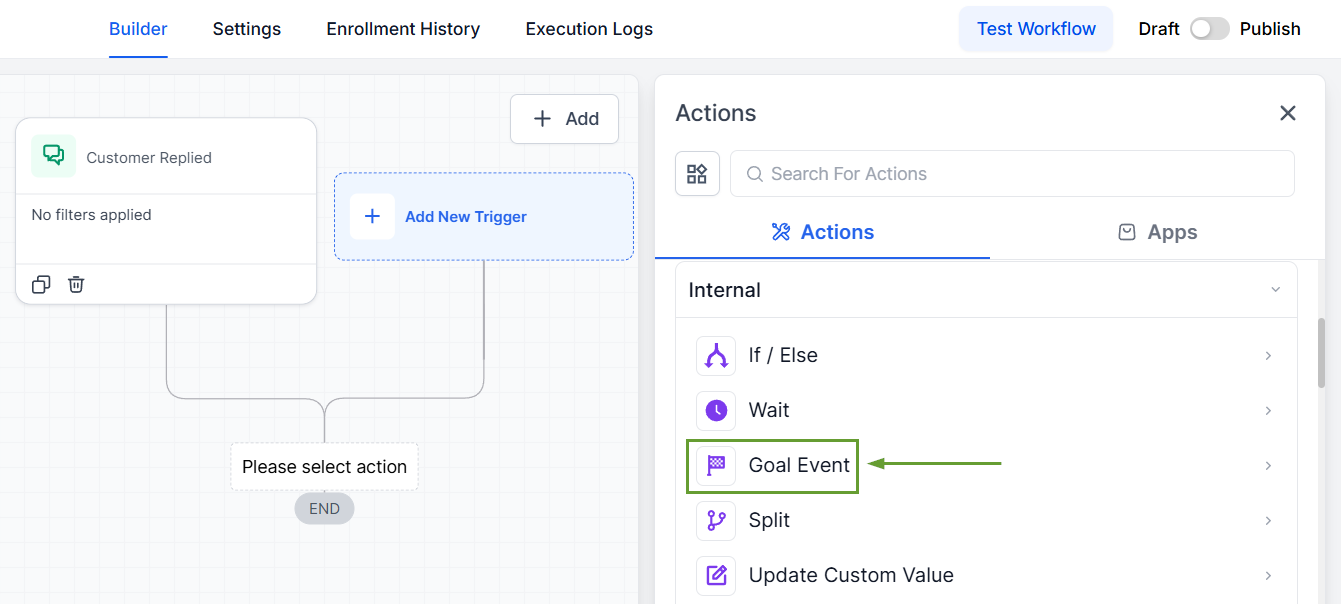
Add a Goal Event step in your workflow.
Choose Invoice Paid or Review Request Clicked, then set your filters.
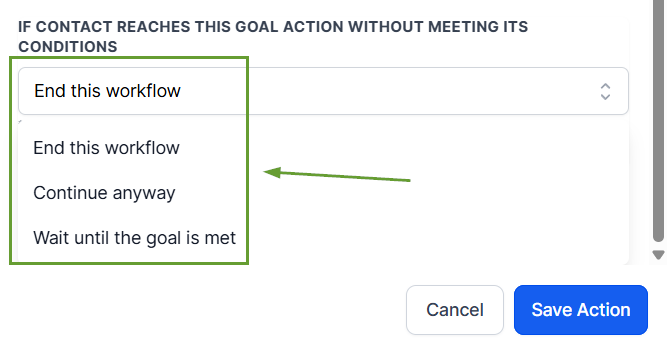
Choose what happens if the contact reaches the Goal step before the event occurs, then save the action.
Once done customizing, simply save your workflow. These goals let you move contacts forward based on real outcomes, without extra branches or manual checks. We hope you enjoy it!
