New Review Received Trigger
Responding to reviews keeps customers feeling heard and valued. This is a hard standard to achieve for smaller businesses. So, we’ve added a New Review Received trigger to help you manage reviews coming from all platforms. Let’s learn how to use it!
⭐️ How To Use The New Review Received Trigger?
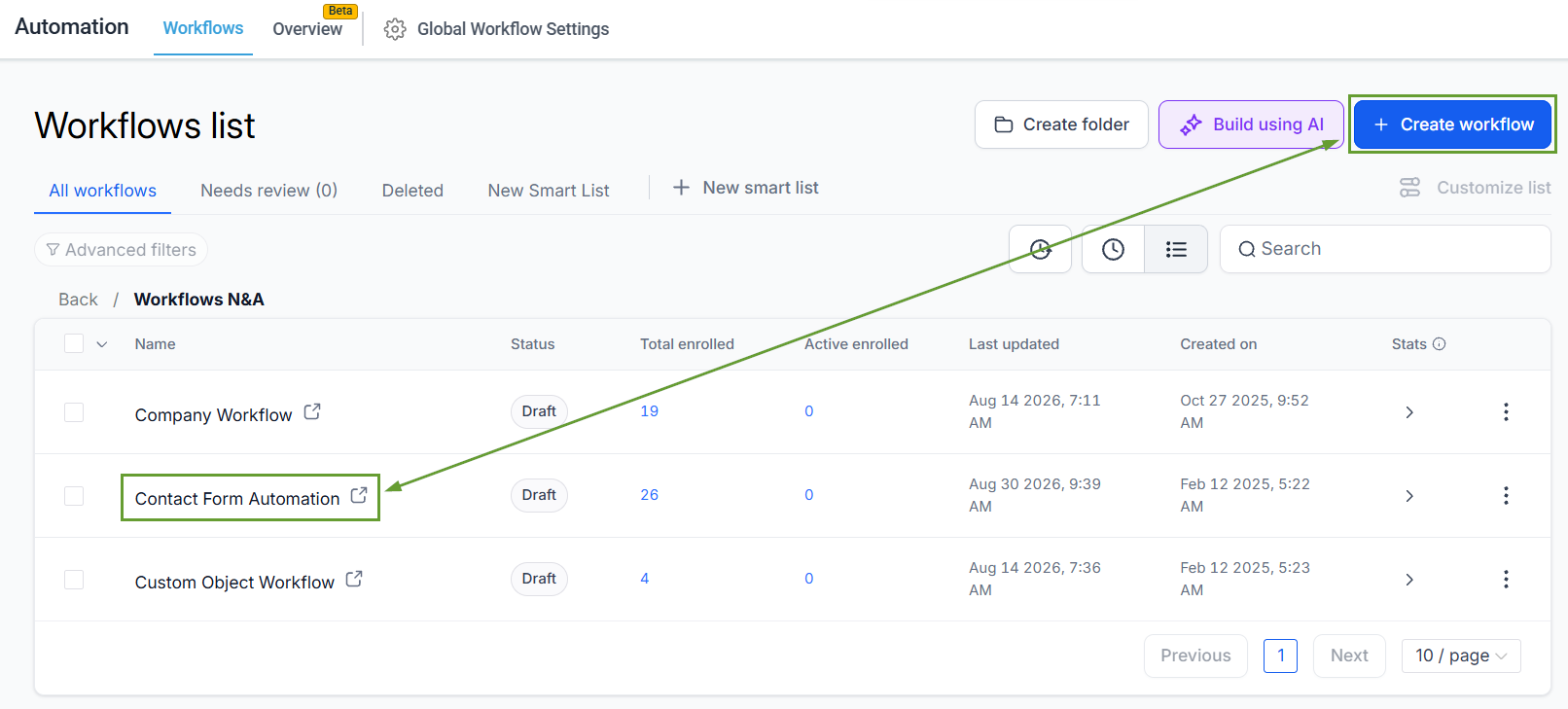
Go to the Workflows tab inside the Automation section and create or edit a new build.
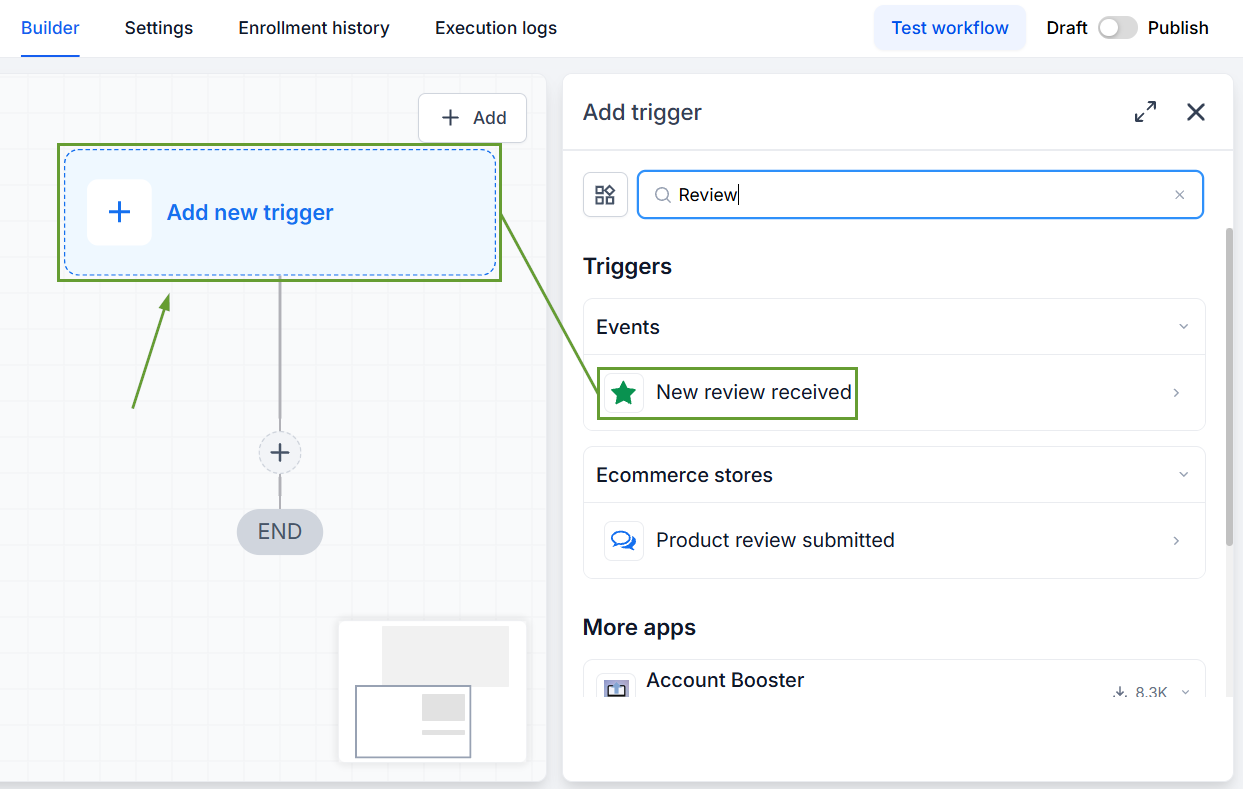
Add the trigger “New Review Received.”
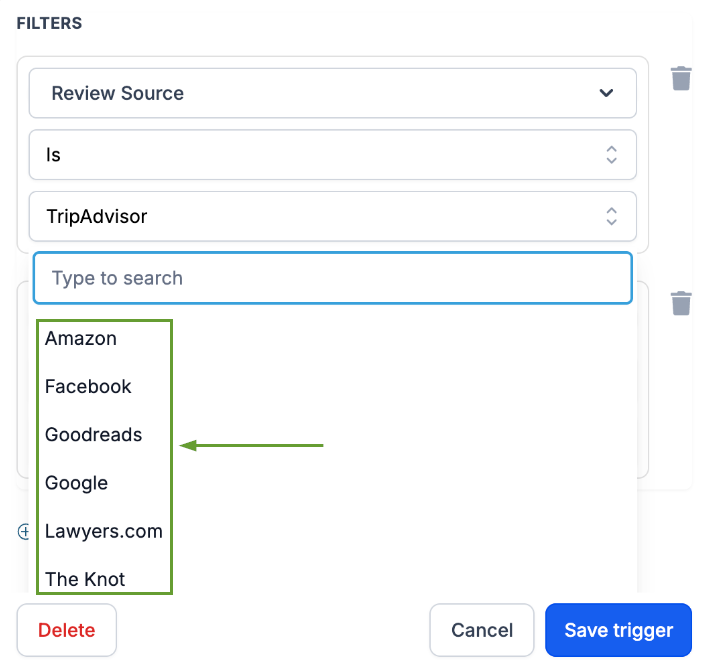
Add filters to narrow down which reviews trigger the workflow.
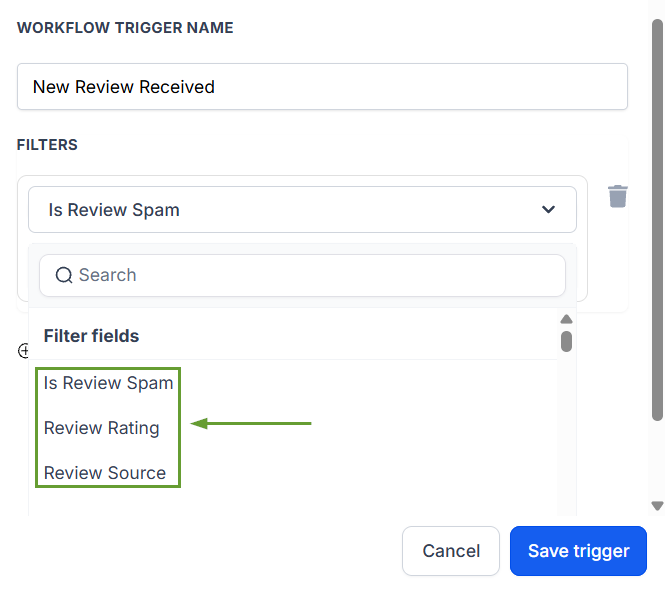
Select an operator, then enter the desired value.
⭐️Why Is This Feature Beneficial To Your Company?
Multi-Platform Support: The trigger source list now includes every supported review platform connected to the account, reducing manual monitoring of third-party platforms.
Automate Actions: Build workflows that respond to reviews faster and more consistently, regardless of where customers leave reviews.
Improved Workflow ROI: The expansive platform support lets you obtain more value from your existing response integrations, applying them across the board.
This trigger allows you to create automated actions when new reviews come in from any of your connected review platforms, simplifying management for your team while keeping customers satisfied. We hope you enjoy it!
