
Bulk Import & Export for Companies
Managing business-to-business relationships in your system is easy with the Companies tab. If you were managing company lists before getting your CRM, or want to move your data to an external system, these new bulk actions will make your job easy. Let's learn how to use them!
⭐️How To Bulk Import Or Export Companies?
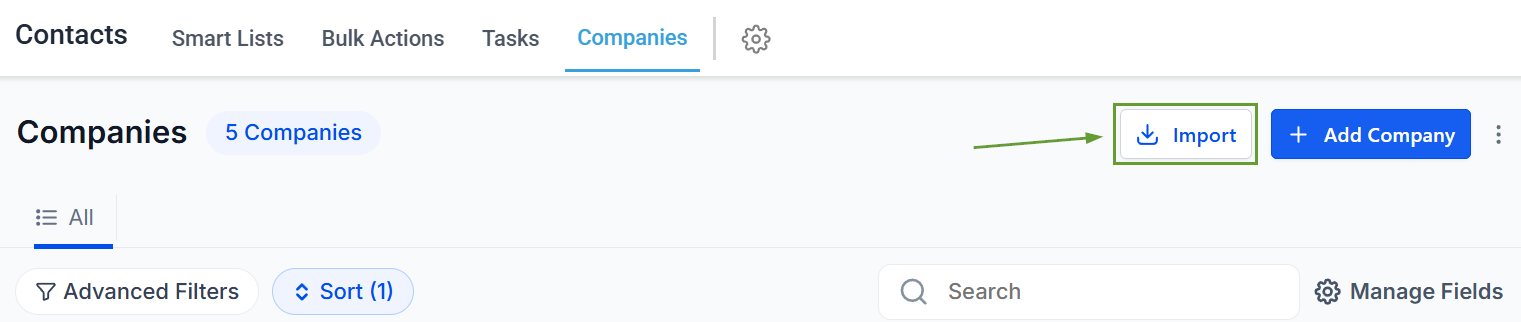
To create new companies or update existing ones with a CSV file, head to the Smart Lists tab in the Contacts section and click Import.
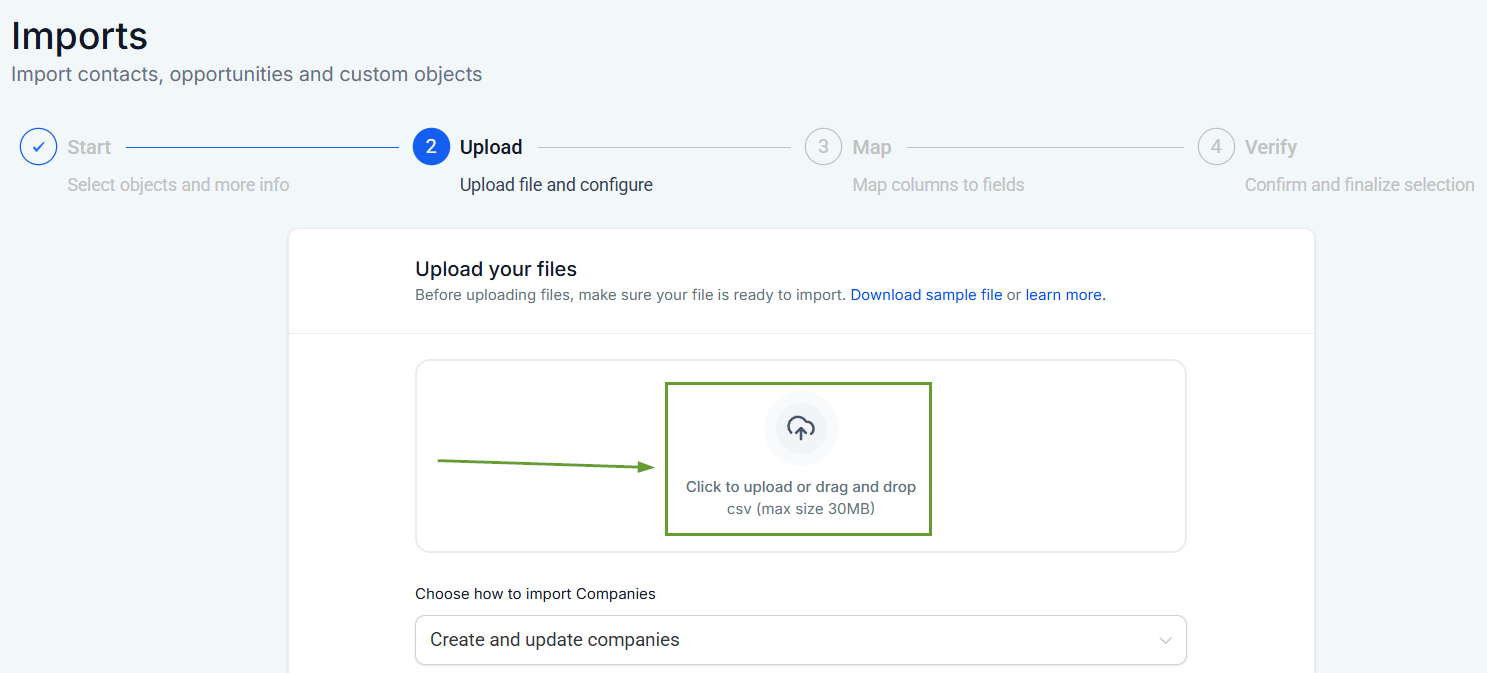
Click next, then add your CSV file.
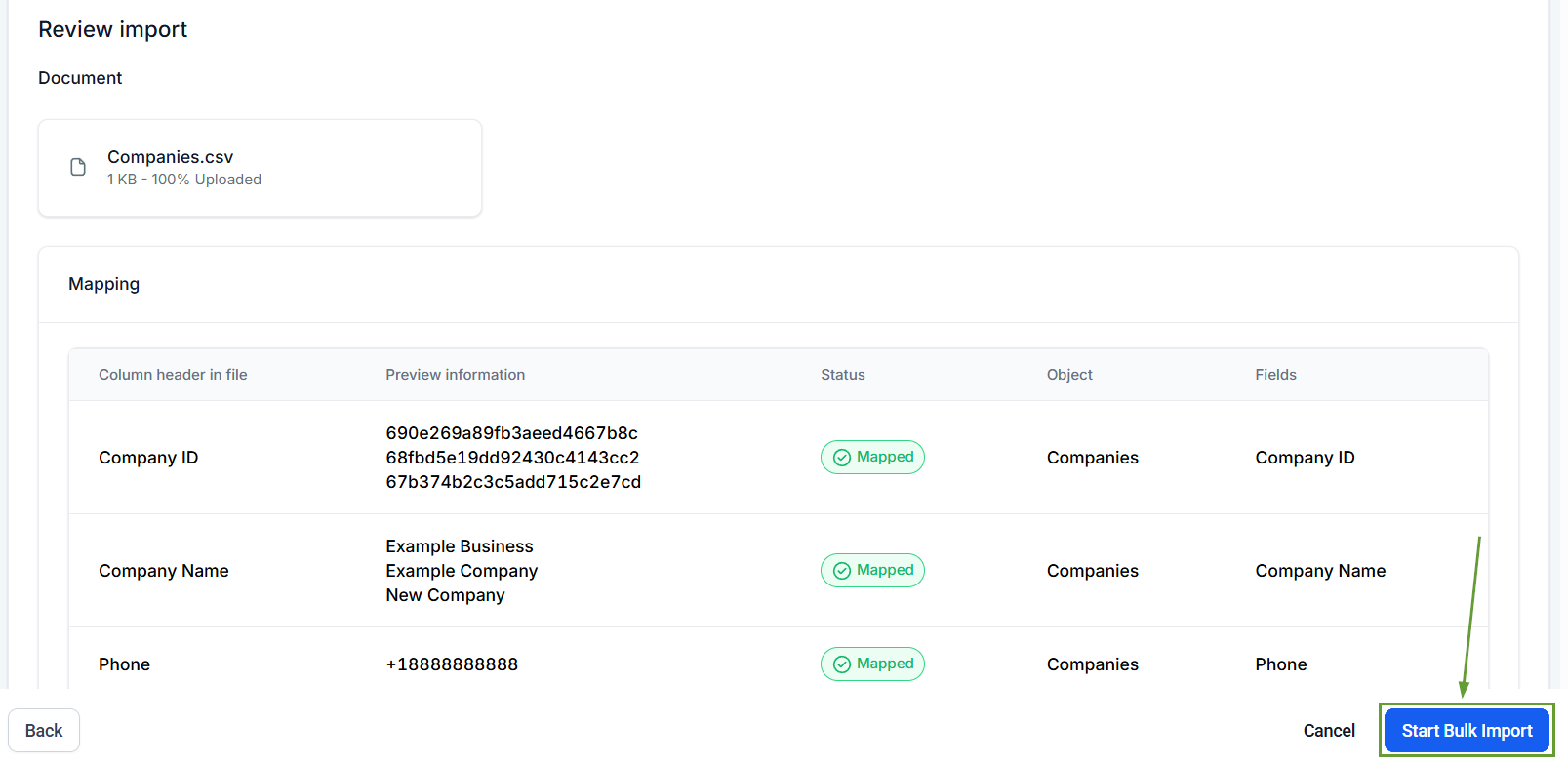
Map the information to the corresponding fields inside the system, then click Start Bulk Import.
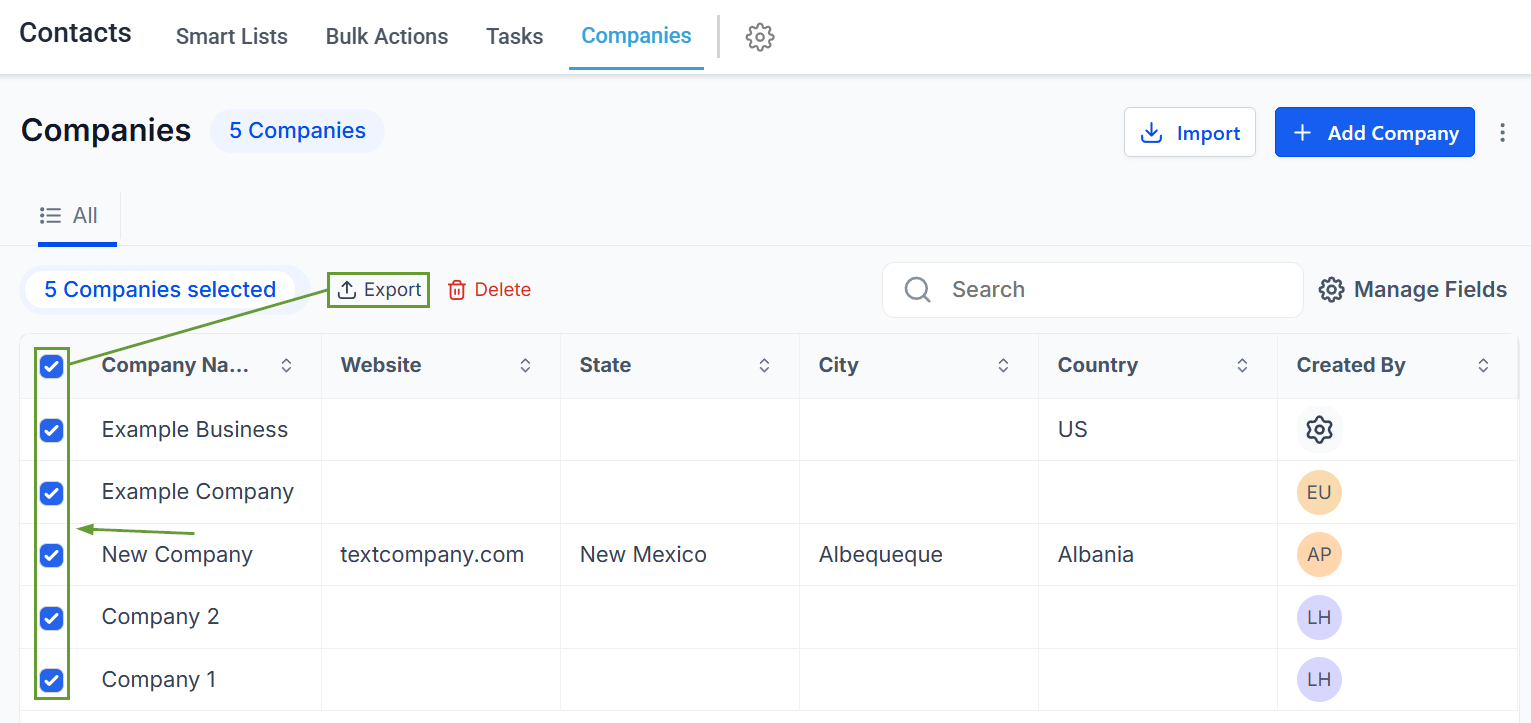
To export multiple company records, head to the Companies tab in the Contacts section. In there, select the Companies you want and click export.
⭐️Why Is This Feature Beneficial To Your Company?
Easily Updated Information: Improves data accuracy during onboarding by eliminating the need for manual record-by-record addition or extraction.
Increased Efficiency: The smooth experience speeds up data migrations, simplifying reporting and analysis by using a standardized CSV file compatible with most systems.
Seamless Management: These bulk actions enable easy data sharing with external teams or stakeholders, and increase system reporting compatibility, taking human error out of the process.
Now, you can easily manage large company datasets, speed up system migrations, and share data with external teams or stakeholders. Helping you effectively eliminate the need for manual management. We hope you enjoy it!
