
Buy Now, Pay Later in Calendar Bookings
Buy Now, Pay Later options are rapidly growing in popularity as they offer consumers an attractive alternative to traditional credit. So, if you’re providing high-ticket appointments or services, this feature is for you. Let’s learn how to use it!
⭐️ How To Enable Buy Now, Pay Later in Calendar Bookings?
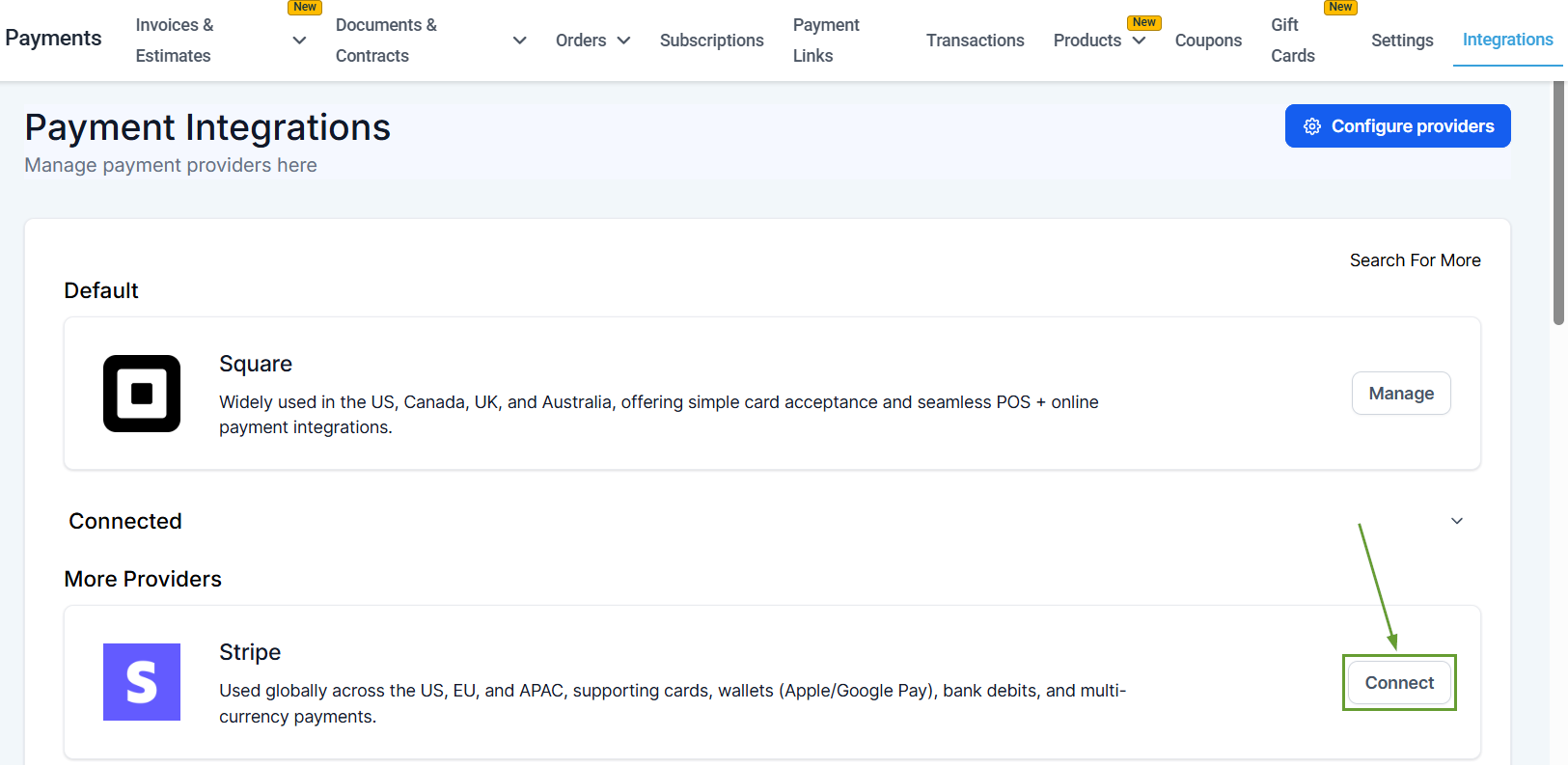
Head to the Integrations tab in the Payments section and connect or manage Stripe.
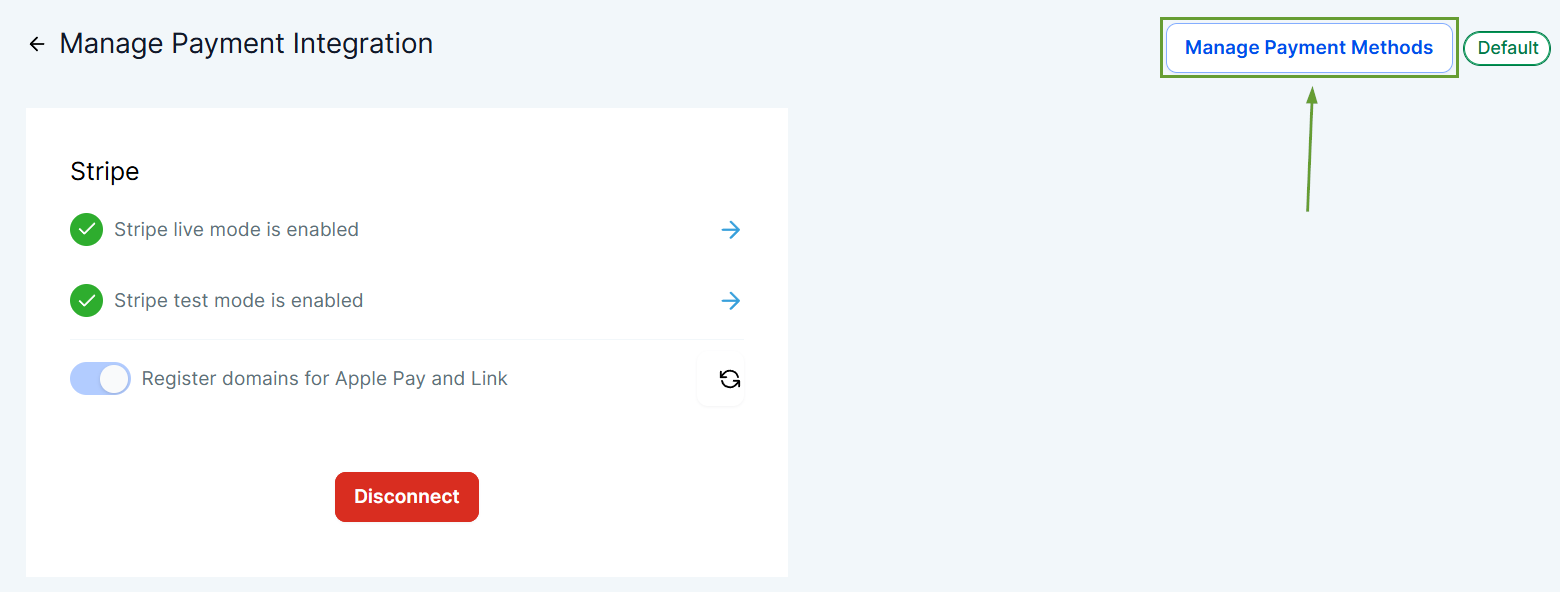
In the Stripe settings, click Manage Payment Methods.
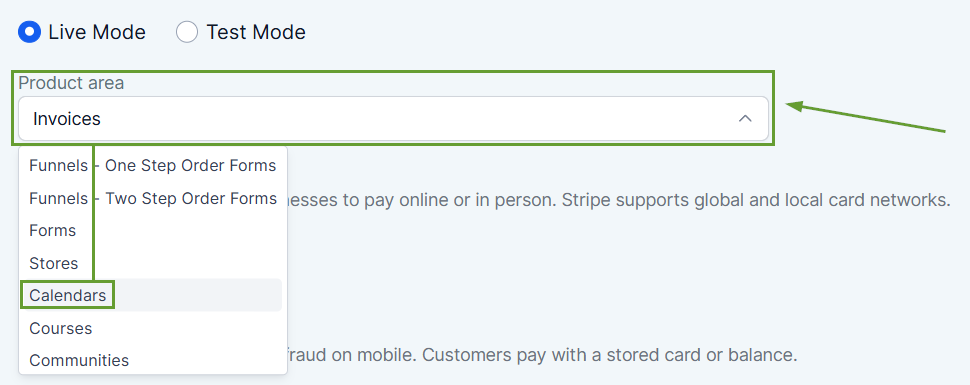
Select Calendars from the Product area dropdown menu.
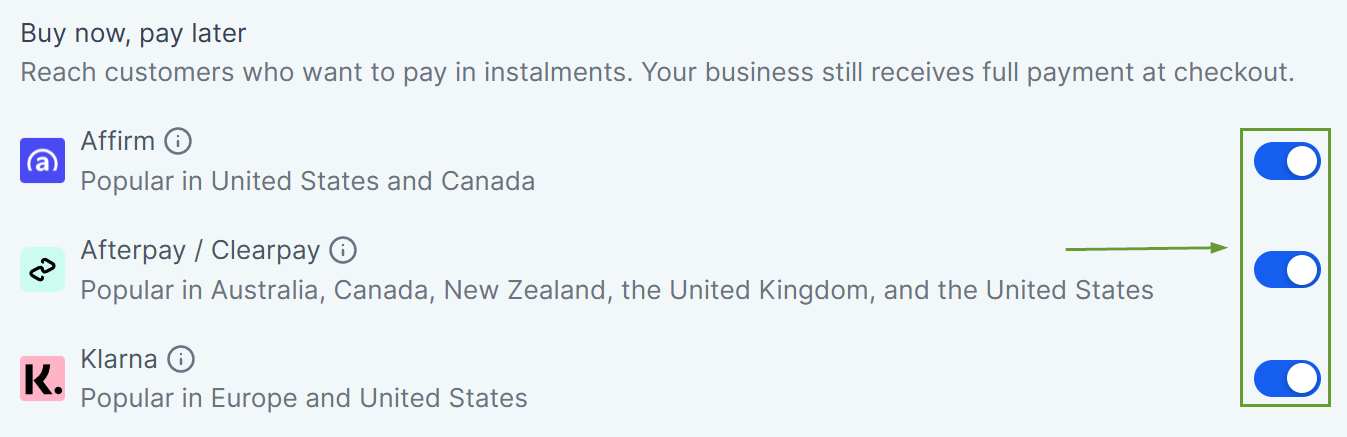
Toggle on your desired Buy Now, Pay Later options.
⭐️Why Is This Feature Beneficial To Your Company?
Increase Conversions: Offering flexible payment options encourages customers to book appointments they need but might not be able to afford upfront.
Customer Convenience: These increasingly popular payment options give customers a sense of modernity, flexibility, and security that enhances their satisfaction.
Improve Cash Flow: BNPL providers pay you upfront, ensuring immediate revenue while the service handles risk, collection, and installment payments.
This update makes it easier for customers to book now and pay later, helping businesses drive more bookings and improve payment flexibility. We hope you enjoy it!
