
Import from HubSpot
HubSpot is a commonly used CRM, so moving your records to your new system should be convenient and fast. And, with the new Importer, you can connect your HubSpot account and migrate important CRM data directly. Let’s learn how to use it!
⭐️ How To Import Records From HubSpot?
Go to Contacts, Companies, or Opportunities, and click "Import."
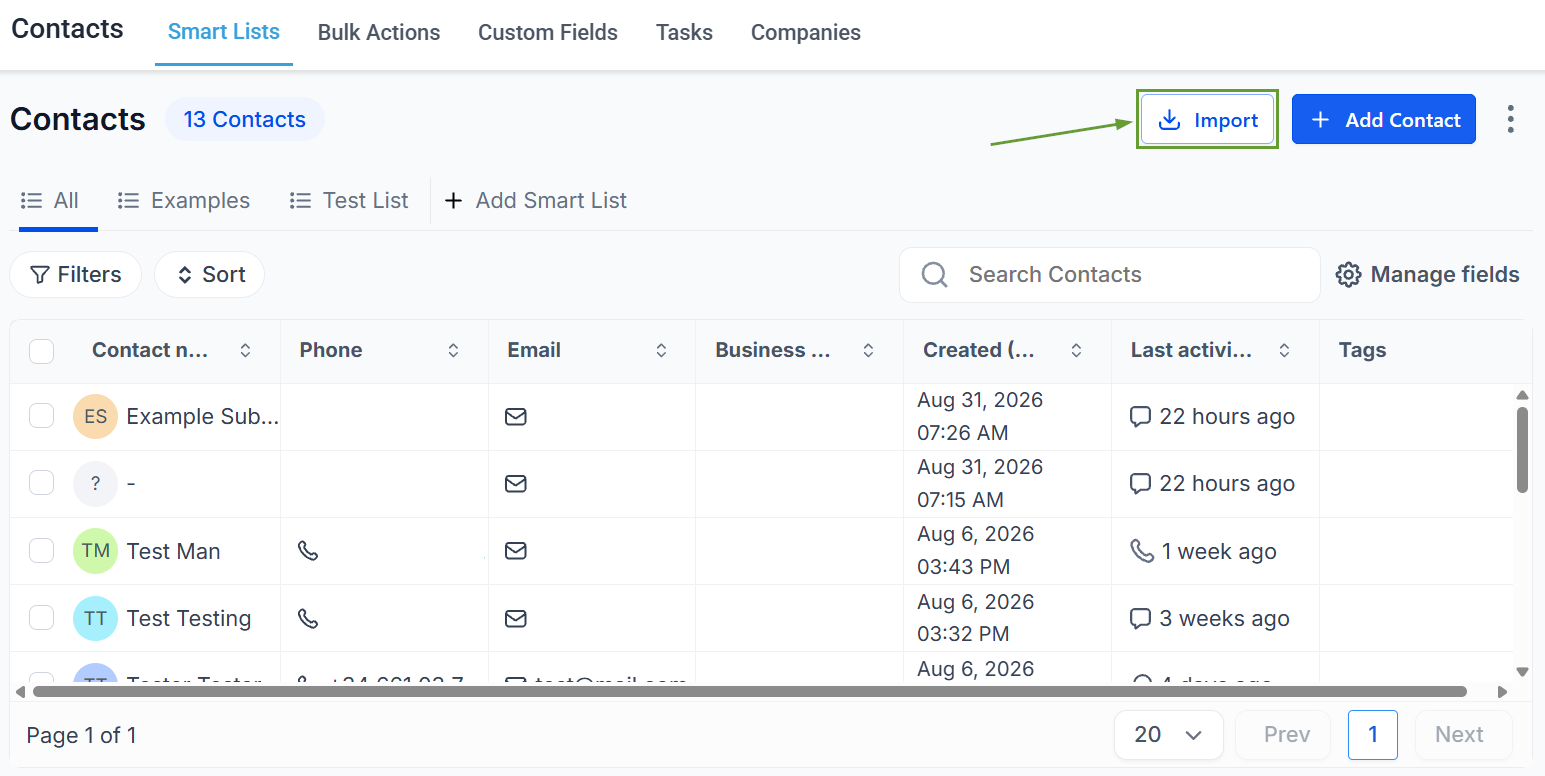
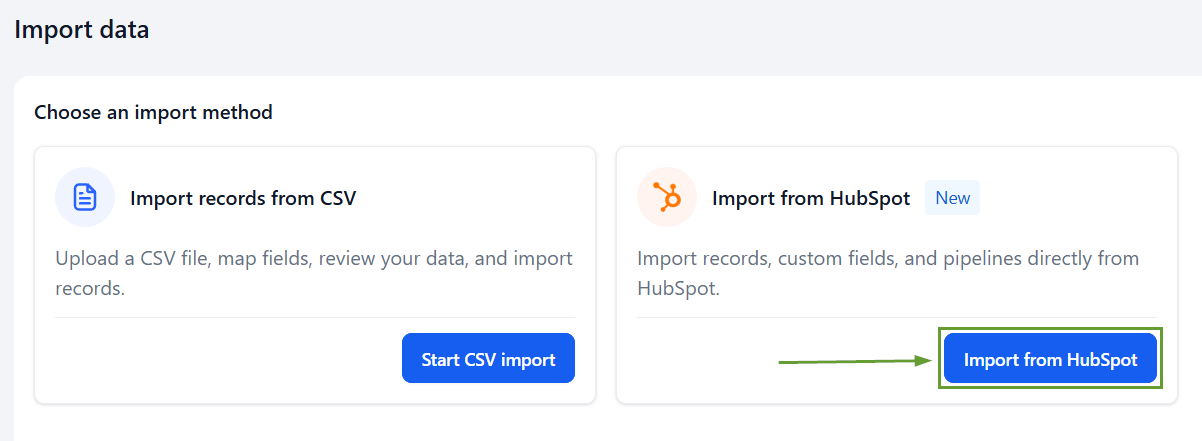
Choose Connect HubSpot, then sign in to your HubSpot account. Or, if already connected, click Import from HubSpot.
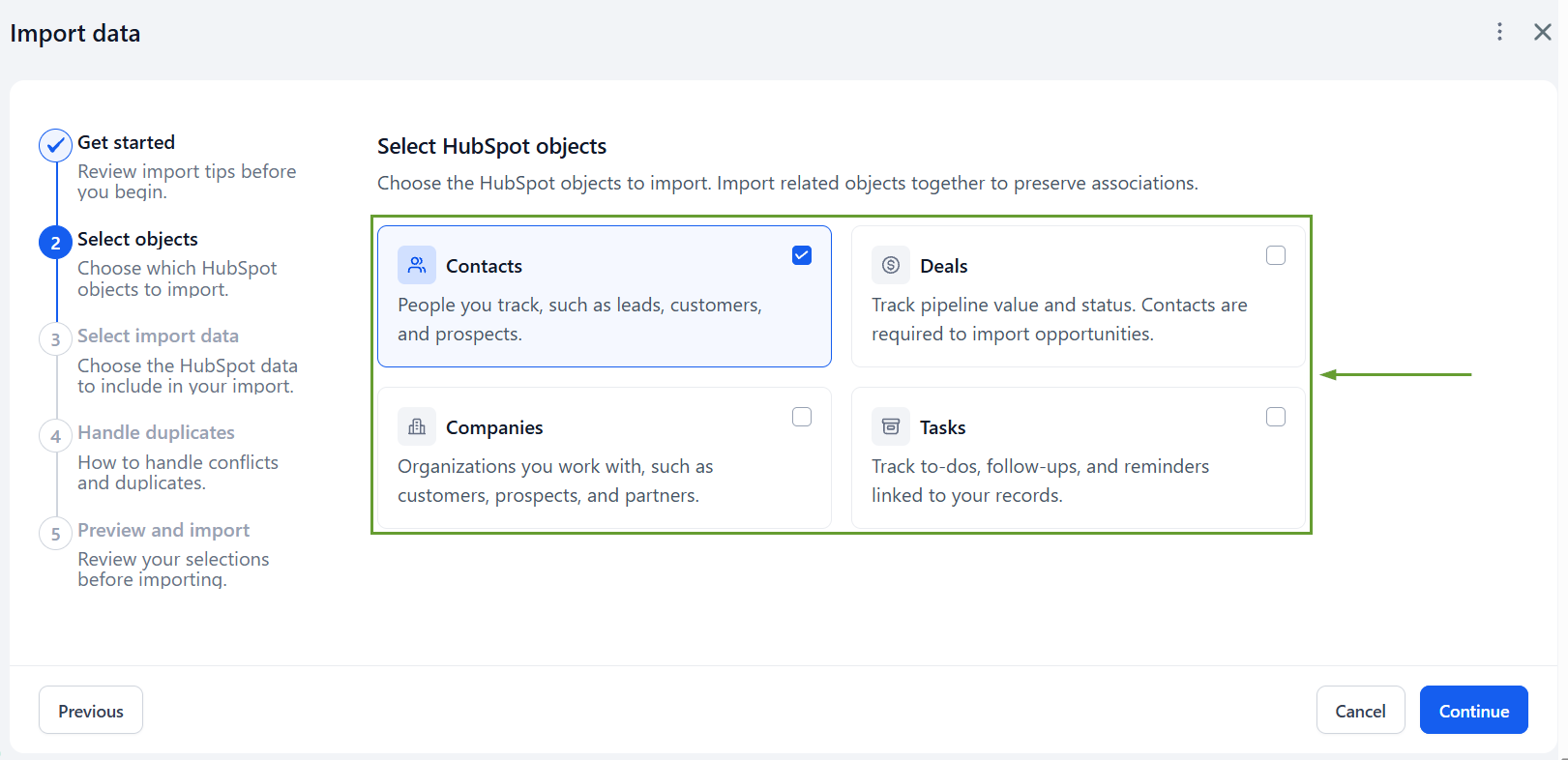
Select the objects and data types you want to import.
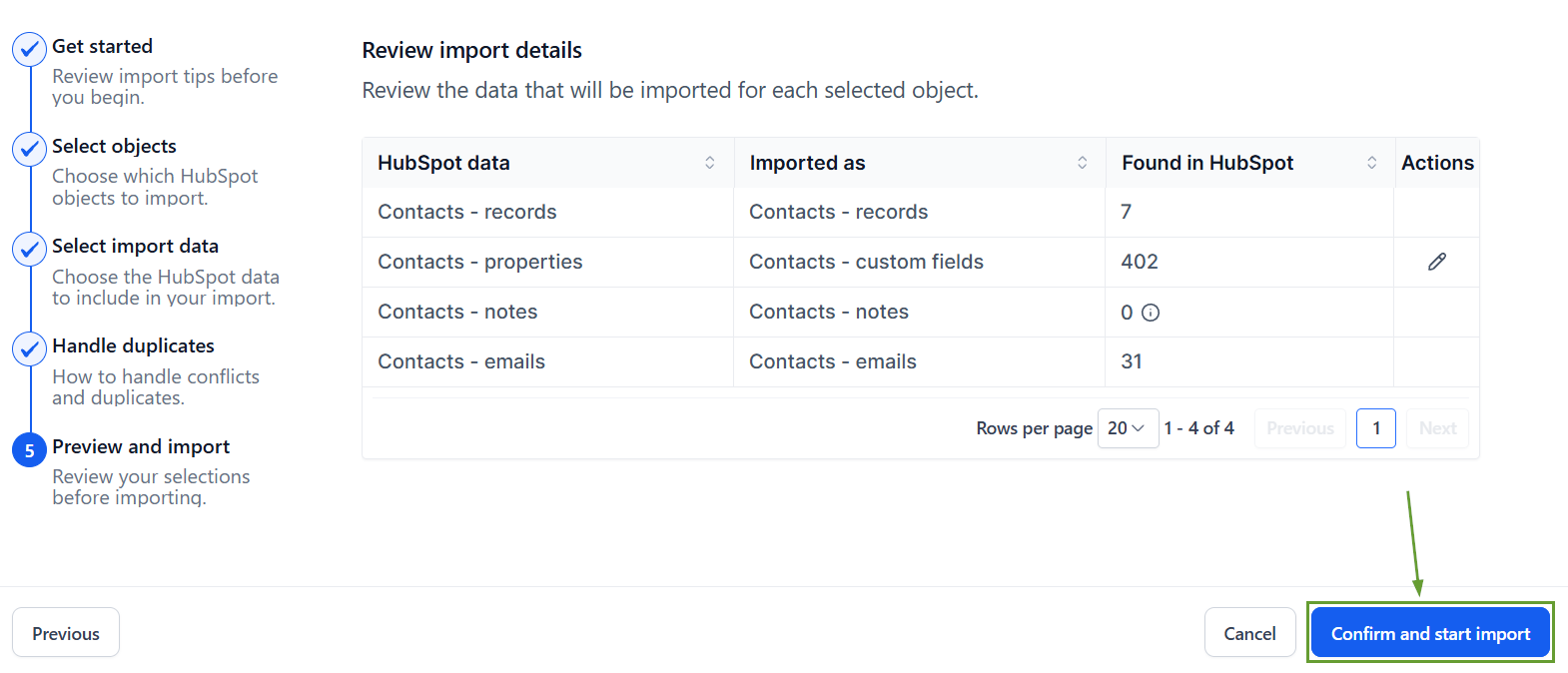
Lastly, click “Confirm and start import” to start the process.
⭐️Why Is This Feature Beneficial To Your Company?
Improved Data Transfer: Reduce the manual work required when moving from HubSpot, helping you migrate your CRM data faster.
Organized Importing: Preserve supported pipelines, stages, tasks, and relevant data by choosing exactly what you want to import.
Error-Free Entries: Bring over important custom fields and activity, while quickly identifying and resolving import errors for consistent records.
Using the importer lets you quickly move your data and run your business from your new CRM. This makes it easy to trigger workflows, continue tasks, and move contacts through pipelines quickly. We hope you enjoy it!
