Payment Enhancements in Services V2
We’ve enhanced the payment management capabilities for your Services, helping you offer customers checkout flexibility while protecting your finances through accurate calculations and reporting. Let’s learn what has been added in this payment power-up!
⭐️How Do These Changes Affect You?
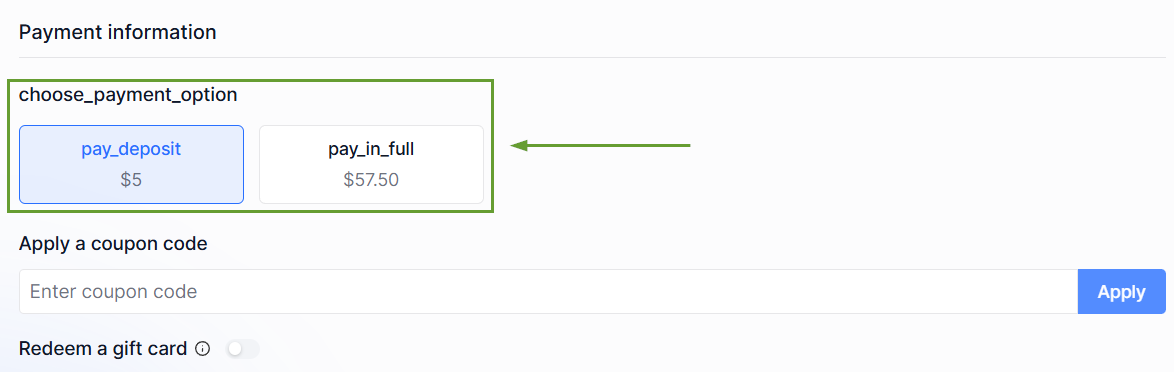
Deposit or Full Payment Selection: When collecting Online Payments, you can enable customers to choose how they'd like to pay during checkout.
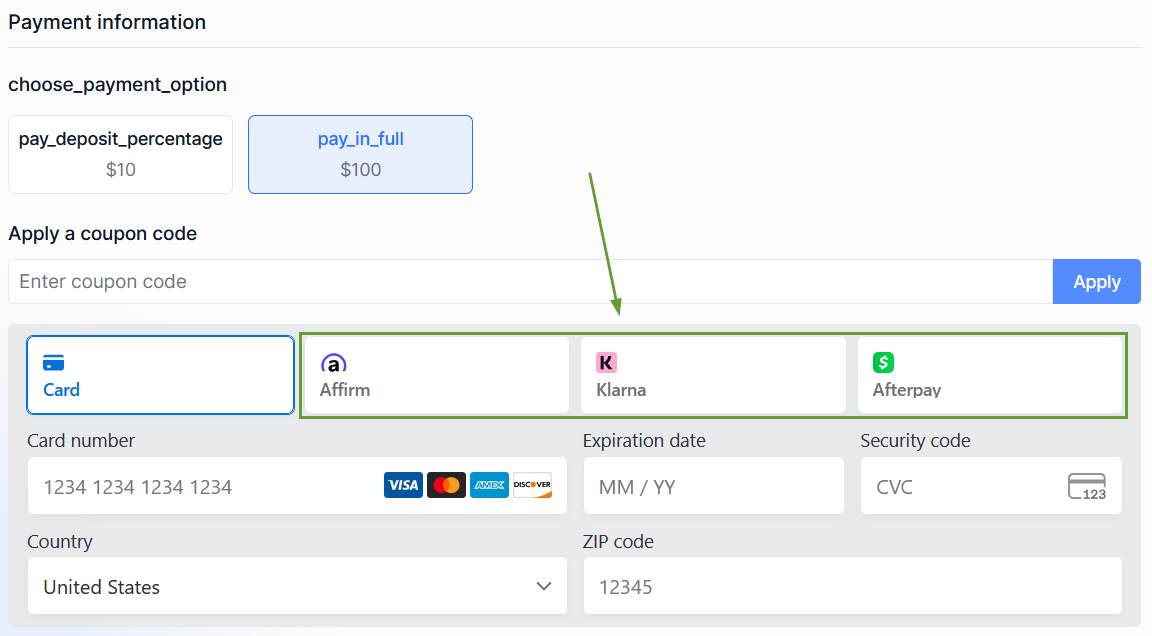
Improved Support for BNPL: Customers can select to finance the full service amount, allowing supported Buy Now, Pay Later providers to finance the complete booking rather than just the deposit.
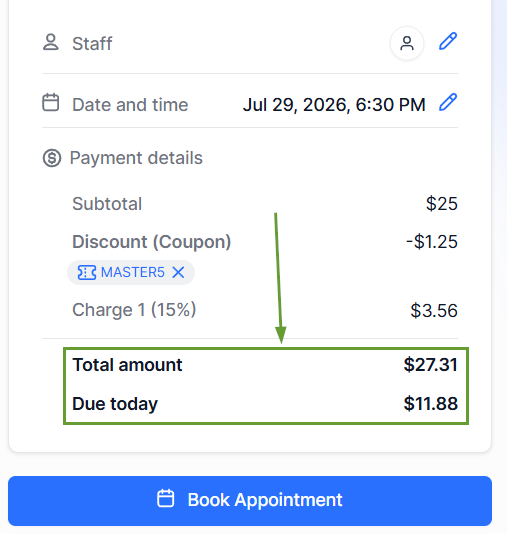
Smarter Deposit Calculations: Percentage-based deposits are now calculated using the final payable amount after discounts are applied, ensuring customers are only charged a deposit on what they actually owe.
⭐️How To Enable Partial Payment Selection?
Let’s learn how to change this new setting to create flexible payment options!
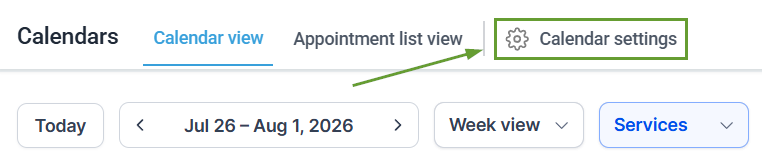
Navigate to the Calendar Settings of your calendar.
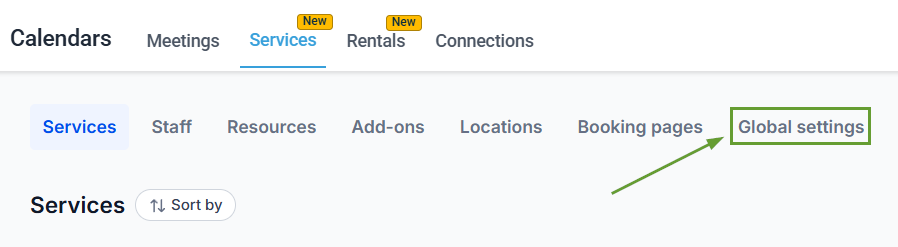
Inside the Services section, access the Global Settings.
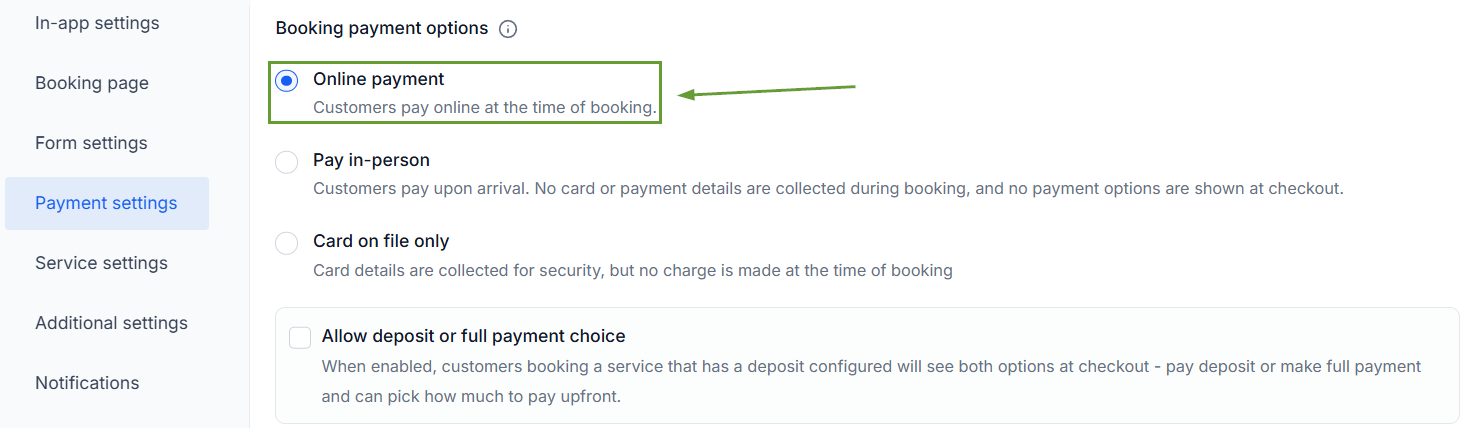
Under Payment Settings, set the payment mode to Online Payment.
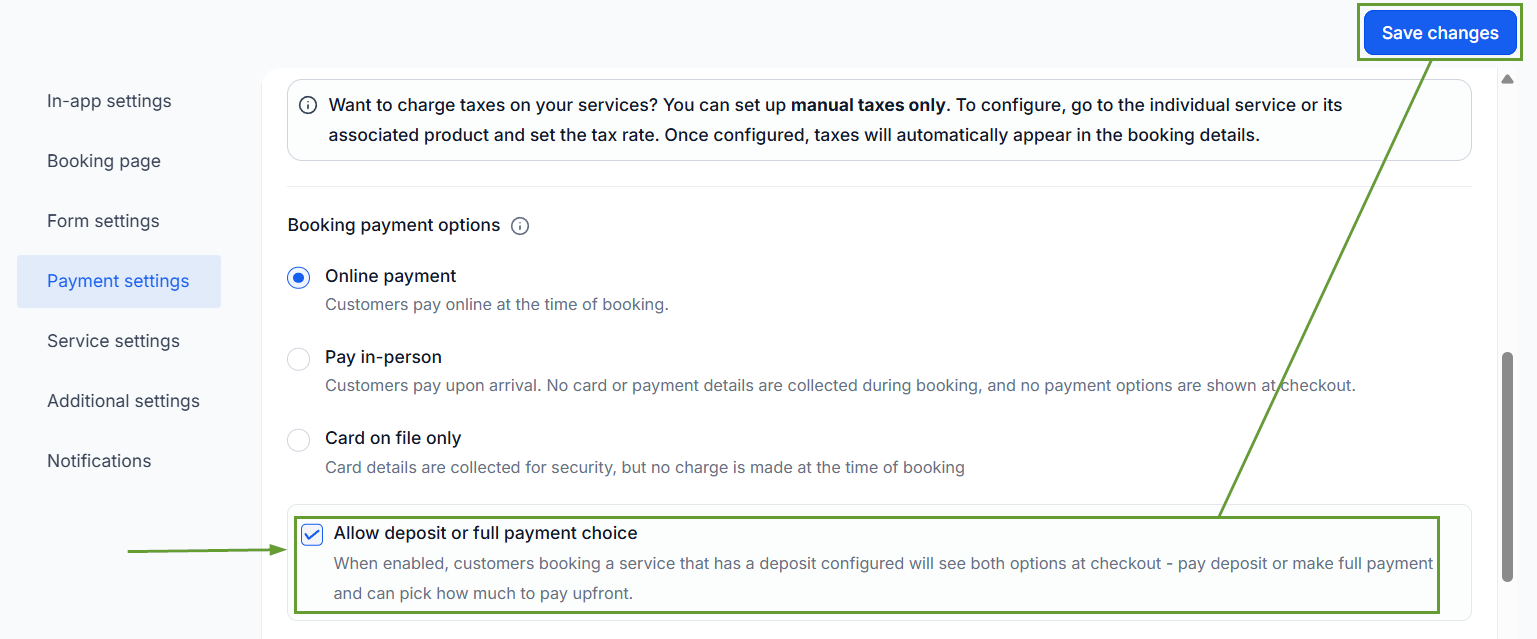
Enable Allow Deposit or Full Payment Choice, then save your changes.
This helps you improve transparency by ensuring deposits accurately reflect the final booking value, creating a smoother checkout experience, and giving customers greater flexibility in how they pay. We hope you enjoy it!
