
Merge Contact Action
The Merge Contact action helps you identify duplicate contacts and adds information in the newer contact record to the oldest existing record, cleaning your lists when a contact triggers your workflows. Let's learn how to use it!
⭐️How To Use The Merge Contact Action?
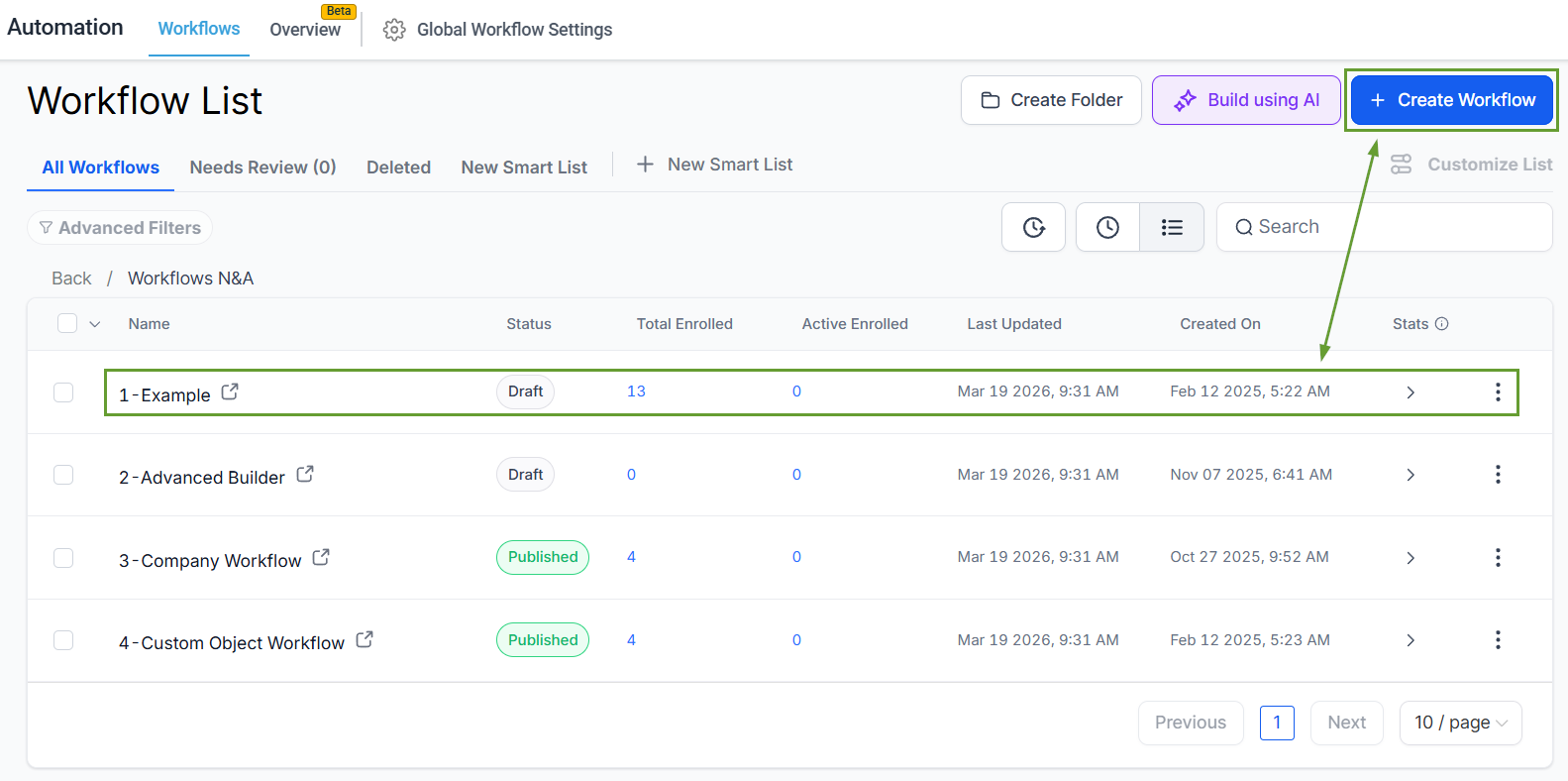
Head to the Workflow tab in the Automation section in your account, then select an existing workflow or create a new one to begin.
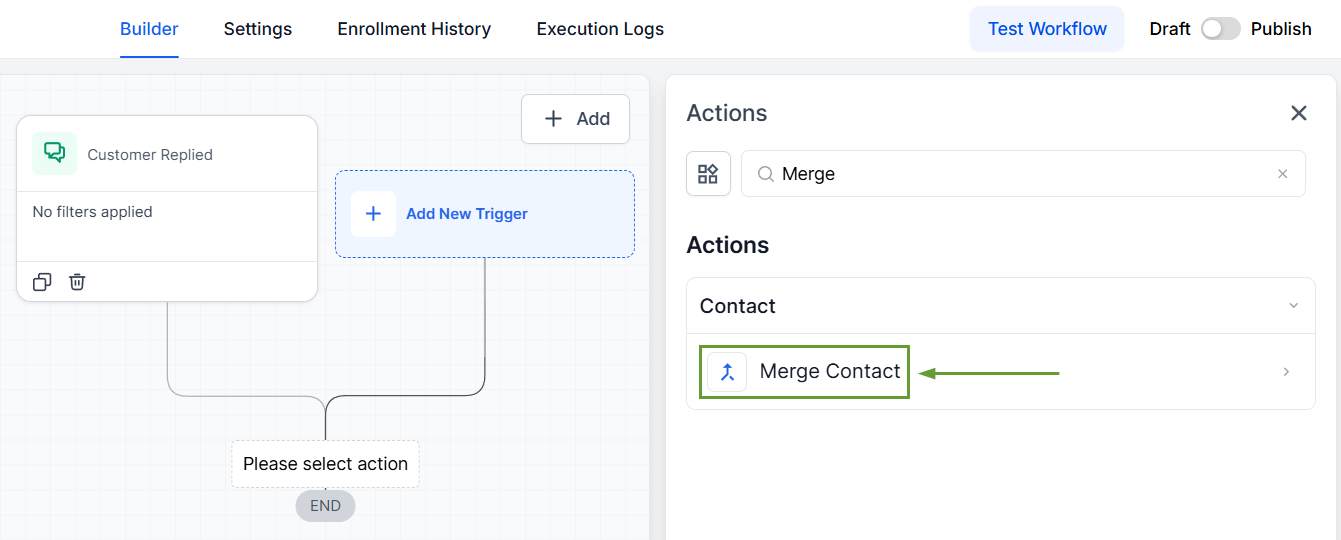
Add the Merge Contact action at the appropriate point within your workflow.
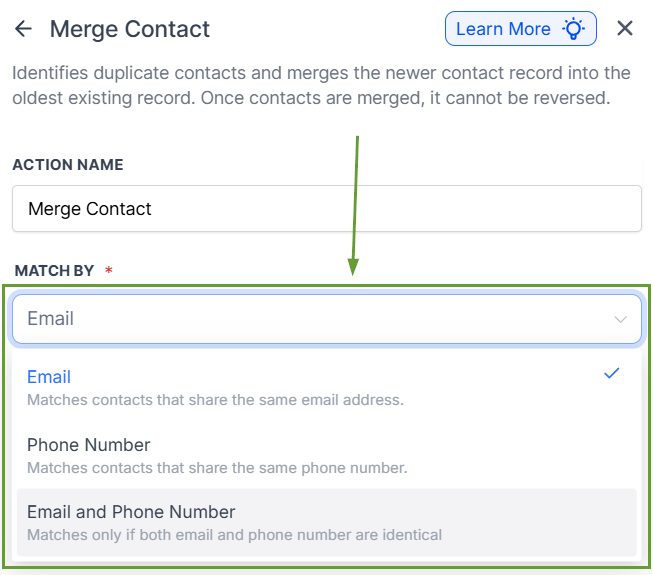
Select how you want the system to identify the duplicate contacts; you can choose between email, phone number, or both.
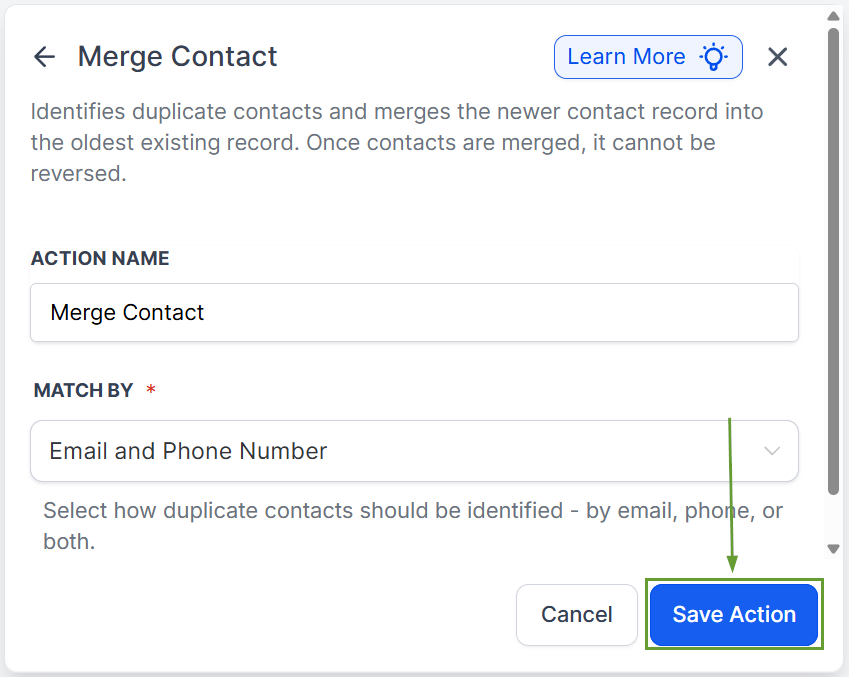
Once you have added all the relevant fields, save the action to add it to the workflow.
⭐️Why Is This Feature Beneficial To Your Company?
Improved Information Management: This action keeps your contact lists clean by allowing duplicates when it makes sense and filtering them out when unnecessary.
Smart Merge Logic: The system always preserves the older contact record and merges the newer duplicate into it, ensuring no historical data is lost.
Full Execution Visibility: Every merge is logged in Execution Logs with detailed metadata, including which contacts were matched, which record was preserved, and the matching criteria used.
By leveraging this feature, you can automate the search for specific contacts based on your selected value and ensure your contact list is correctly updated, even if you are currently allowing duplicate contacts in your account. We hope you enjoy it!
