SLA Performance Dashboard
While SLAs helped define response time expectations, there was no clear visibility into performance. So we’ve added a dashboard to bring all of that into one place, giving you clear visibility into response times, SLA adherence, and overall performance trends. Let's learn how to use it!
⭐️How To View SLA Performance Metrics?
First, head to the Analytics tab inside the Conversations section.
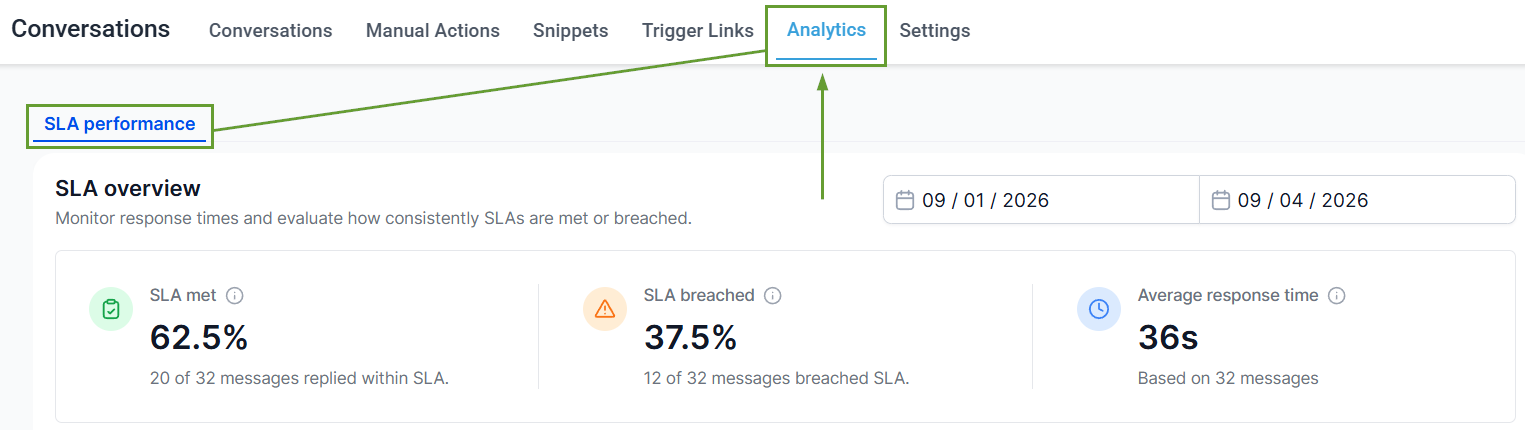
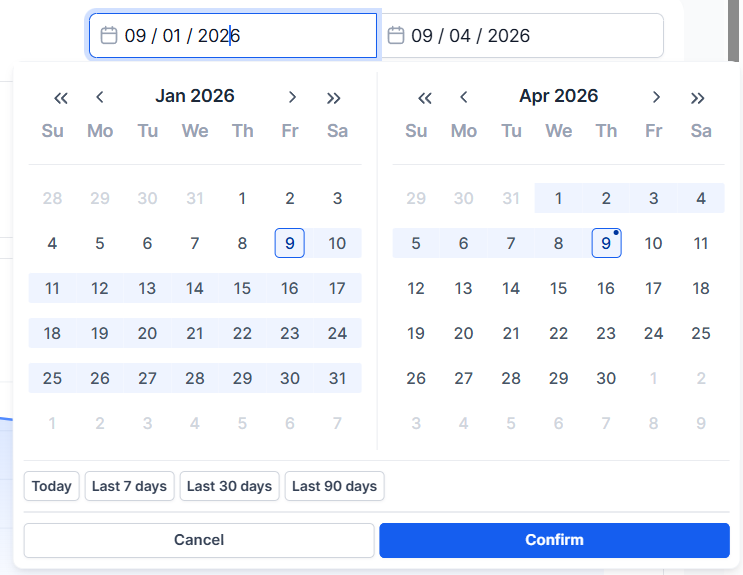
Select a time range and review the overview for overall SLA performance.
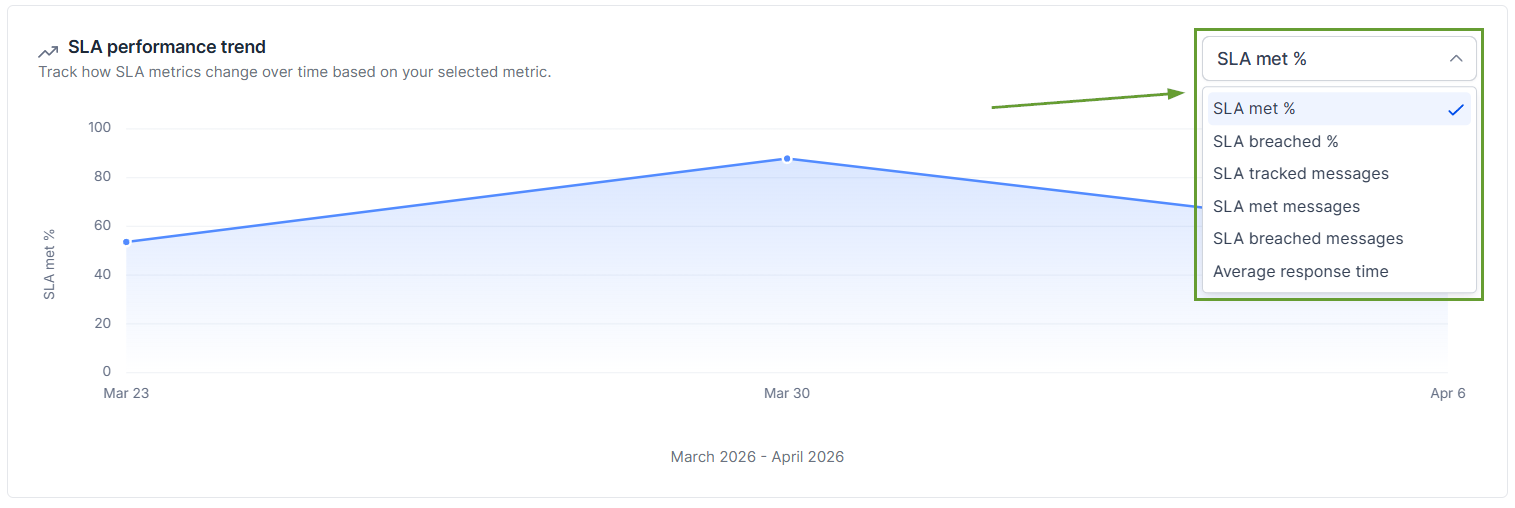
Use the trend chart dropdown to switch metrics.
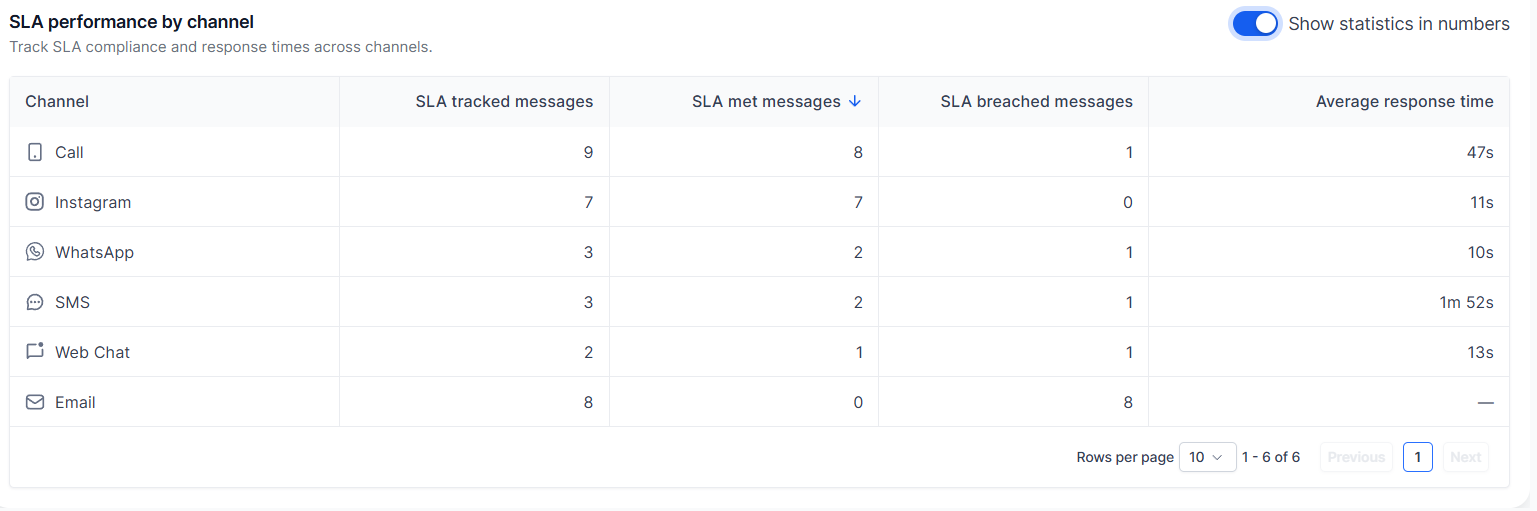
Analyze user and channel reports. Use sorting and filters to drill into specific insights.
⭐️Why Is This Feature Beneficial To Your Company?
Improved Accountability: This helps you visualize how many messages meet or breach SLAs, understand average response times, and track trends over time to identify patterns.
Early Issue Detection: The dashboard breaks down performance at a user and channel level, making it easier to pinpoint where improvements are needed.
Smart Data Collection: Only messages with completed SLA evaluation (met or breached) are included in reports. Conversations marked as read without a reply are excluded
You can now measure how well Conversation SLAs are being met with the new SLA Performance Dashboard, which simplifies improvements and makes it easy to reward or correct your team as needed. We hope you enjoy it!
